What is AudioSilo?
What is AudioSilo?
AudioSilo is a self-hosted audiobook platform. You point a small server at a folder of audiobook files on a machine you own - a home server, a NAS, or a cheap VPS - and listen from anywhere: in a browser, or with the AudioSilo app on your phone. Your books never leave your hardware, there is no subscription, and your files stay exactly as they are on disk. Progress, bookmarks and your listening history sync across every device you use.
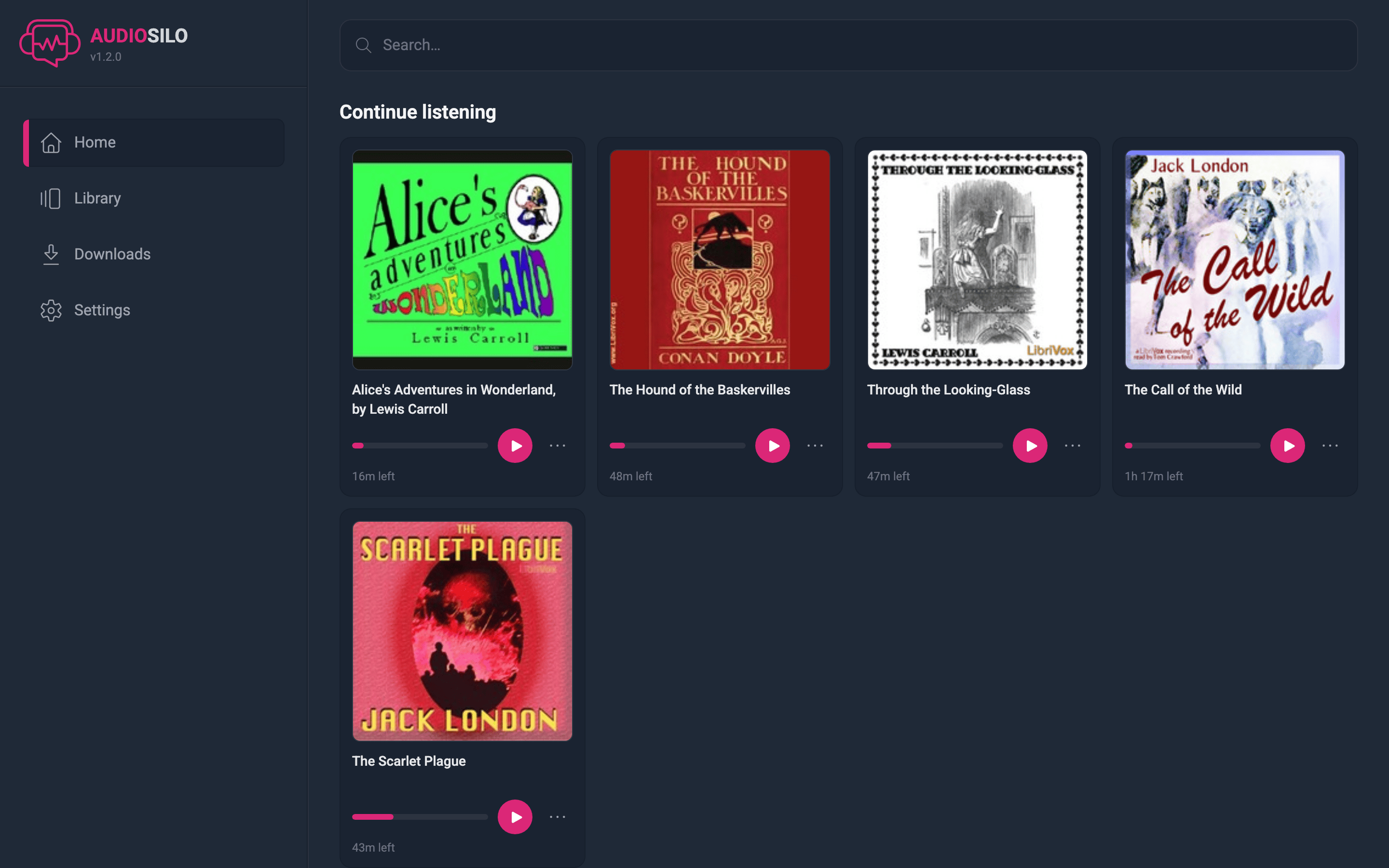
The three parts
AudioSilo is made of three pieces that work together. You only have to run the first one.
The server
The heart of the system. It scans your audiobook folders, builds a fast search index, and streams the audio to your devices (new files show up when you browse to them or after a rescan). It also includes a built-in admin console for managing libraries, users and sharing, and it can serve the web player itself - so one running server is a complete, listen-in-the-browser setup. It is designed from the start to be safe to expose to the internet.
Install it with Docker or as a single downloadable program.
The player app
Where you actually listen. One app ships as a web player (served by your own server, installable as a PWA) and as native iOS and Android apps. It handles chapters, playback speed, sleep timers, favourites, offline downloads and background playback with lock-screen controls. See Connecting to a server to get started.
The desktop manager
An optional desktop app for the "librarian" side of things: setting up and connecting to servers, organizing and renaming books, transferring files onto a server over SFTP or a local copy, and backing up an Audible library you own (download, remove the DRM with your own account credentials, convert to M4B, transfer). The server itself never modifies your files over the network - the manager is where changes happen. See the manager guide.

What makes it a good home for your audiobooks
- Safe to expose to the internet. No default passwords - credentials are generated on first run or chosen by you in a setup wizard. Accounts are invite-only, log-in attempts are rate limited with brute-force lockout, and HTTPS is on by default. See Remote access.
- Fast, even with huge libraries. Search and browsing are built on an indexed database that stays quick at thousands of books, and your library is browsable immediately after adding it - no long import step.
- Your files stay ordinary files. AudioSilo never converts, moves or rewrites your audiobooks. The folder on disk is the source of truth; the server's database is just a rebuildable index. Rename or move a book and your listening progress follows it. See Organizing your library.
How this guide is organized
- Getting started - install the server with Docker or a native binary, understand the first run, lay out your library folders, and set up remote access.
- Server administration - the admin console: libraries, users and invites, and sharing parts of a library.
- Listening - connecting a device, browsing, playback, offline downloads, your account and the mobile apps.
- Desktop manager - managing servers, organizing and transferring books, and backing up an Audible library.
- Demo - try AudioSilo without installing anything.
- Troubleshooting and the FAQ.
Want to see it before you install it? There is a public demo at demo.audiosilo.app - see the demo page.