See who is listening
Activity in the admin console shows what people on your server listen to. It has four sections: Overview, Live now, Sessions and Year in listening. Only admins can see it.
Everything here is built from listening sessions: a stretch of listening on one book on one device. The server works them out from the progress the apps already save, so listeners don't need to turn anything on.
Days and hours are counted in the server's time zone.
Overview
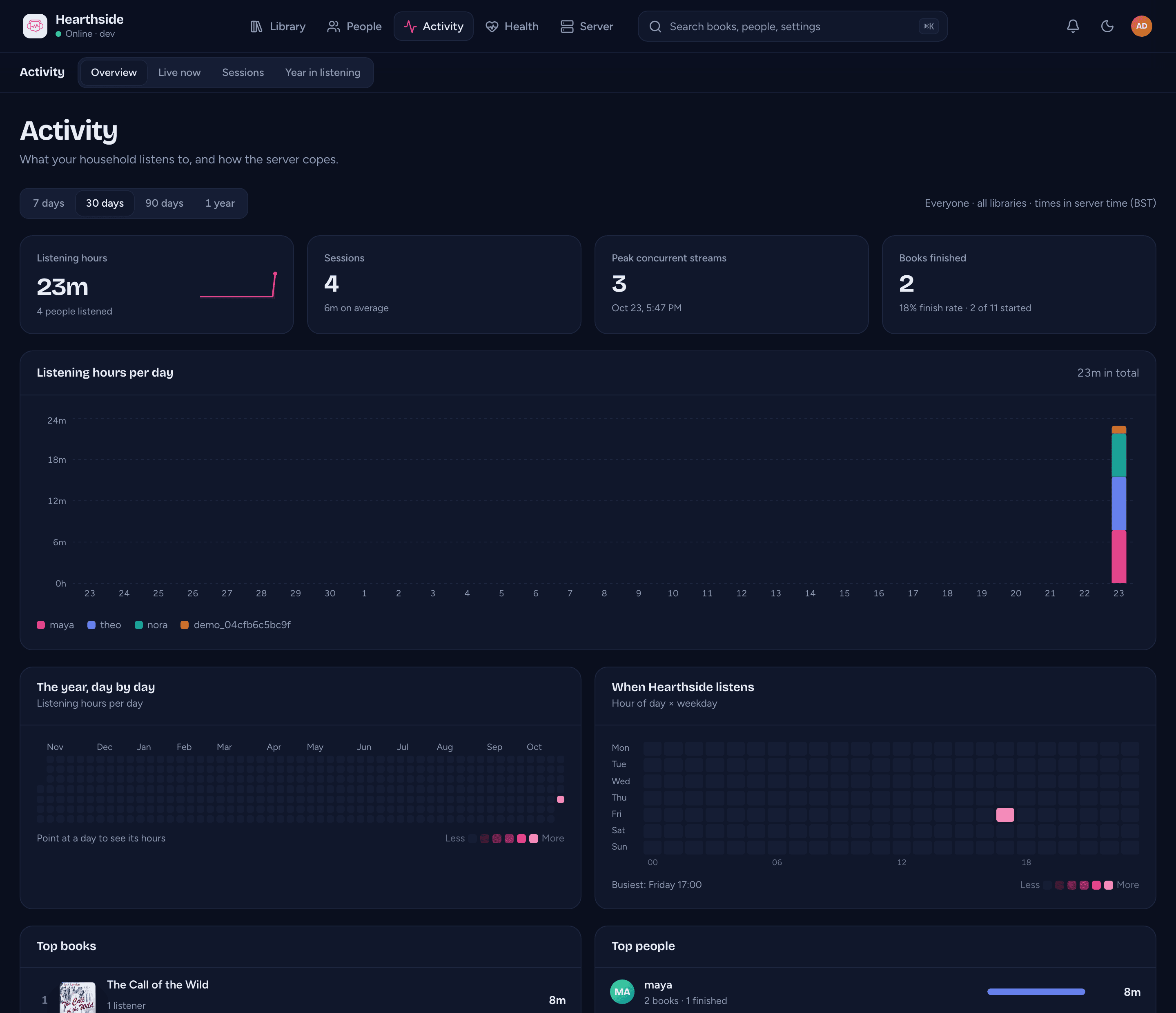
Activity > Overview covers a period: 7 days, 30 days, 90 days or 1 year. Four tiles at the top show listening hours, sessions, the most streams at the same time, and books finished. Each tile compares with the period before.
Below the tiles:
- Listening hours per day, split by the people who listened most.
- The year, day by day: a calendar of the last 12 months.
- When your server listens: listening by hour of day and weekday.
- Top books and Top people. Click one to open its page.
- Most heard: the top authors and narrators.
- Started vs finished: how far people get into the books they start. Where people stopped lists books where at least two people gave up at the same chapter.
- How it played: how much listening played directly and how much was transcoded.
- Apps in use: the apps and versions people listen with. A notice points out devices running an older build.
- Library growth and Storage and coverage: how your collection grew, the space it takes, and how many books are matched, have chapters and have a cover.
A notice lists anyone who hasn't been active for 60 days.
Live now
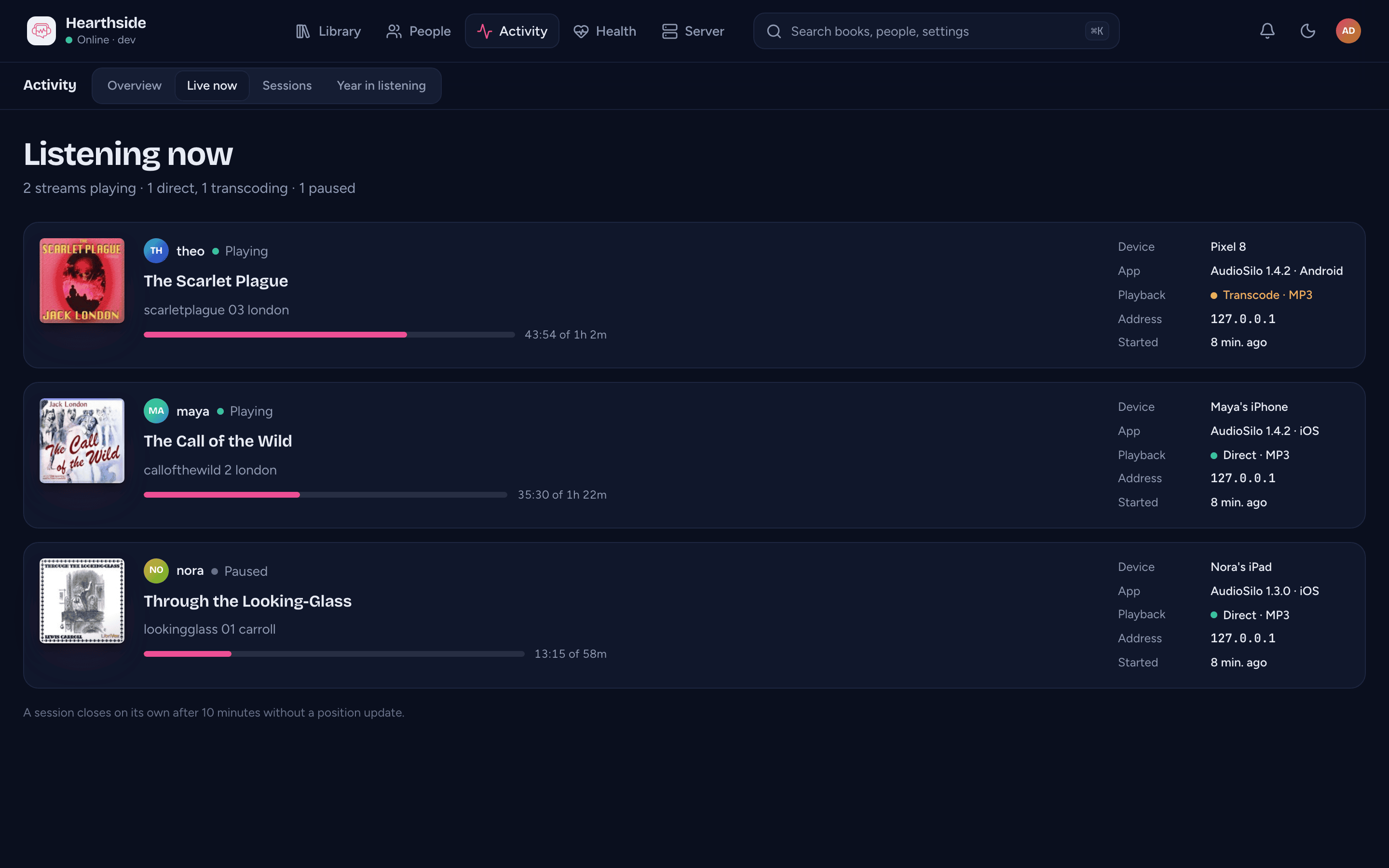
Activity > Live now shows every device playing or paused in the last ten minutes. The page refreshes every ten seconds.
Each card shows who is listening, the book, the chapter and how far they are. It also shows the device, the app and its version, whether it plays directly or is transcoded, the network address and when the session started. A watch shows as AudioSilo, with Apple Watch or Wear OS as its platform.
A device that saves once a minute can be up to a minute behind here.
A session closes on its own after 10 minutes without a position update.
Sessions
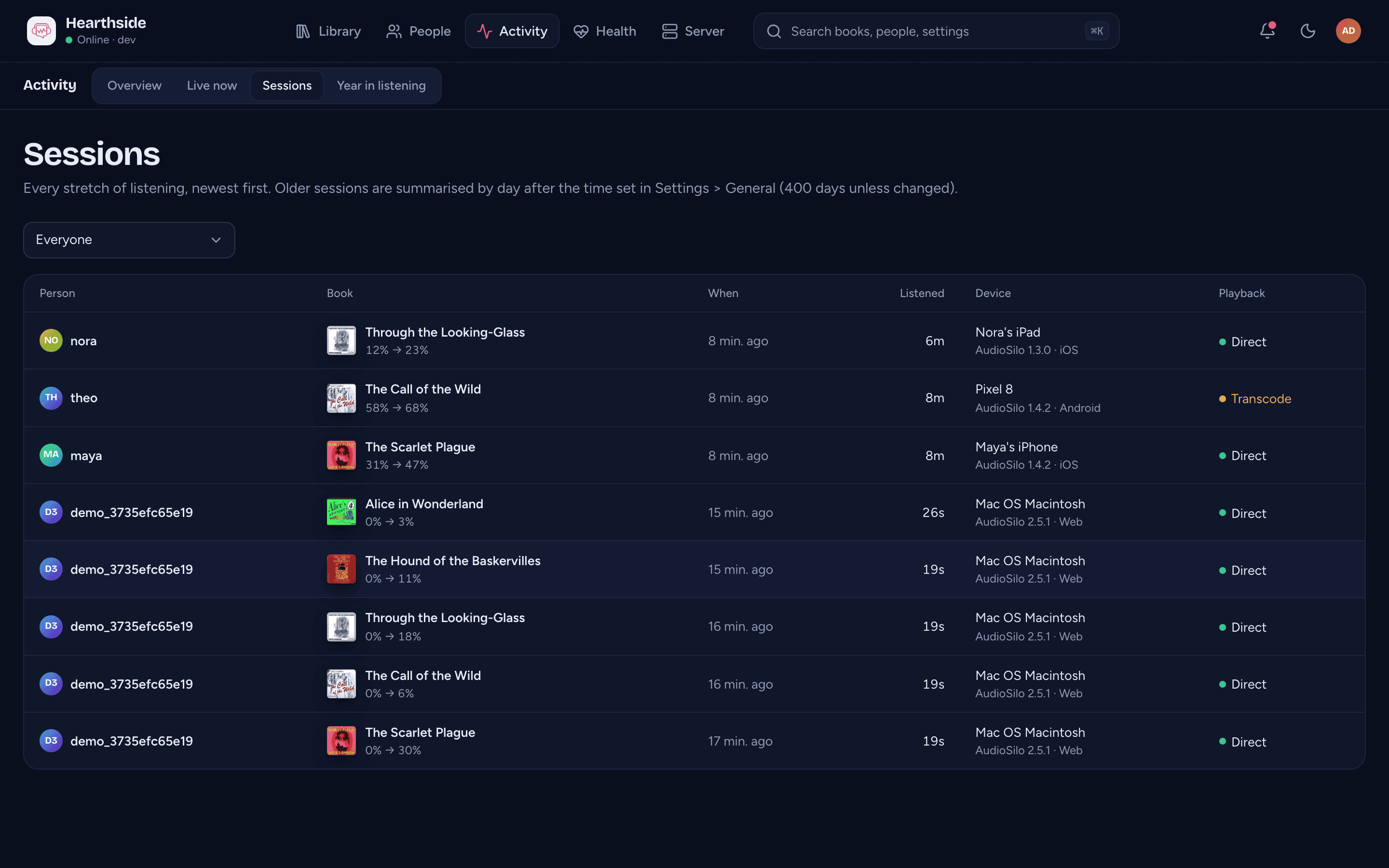
Activity > Sessions lists every listening session, newest first. Each row shows the person, the book and how far the session moved them, when it started, how long they listened, the device and app, and how it played.
- Whose sessions narrows the list to one person.
- See listening sessions in a person's progress menu opens the sessions for one person and one book.
Listening imported from Audiobookshelf is marked "Imported from Audiobookshelf".
After the time set in Days to keep sessions, the server summarises sessions by day (see What the server records). They still count in the totals and charts, but no longer appear in this list.
Year in listening
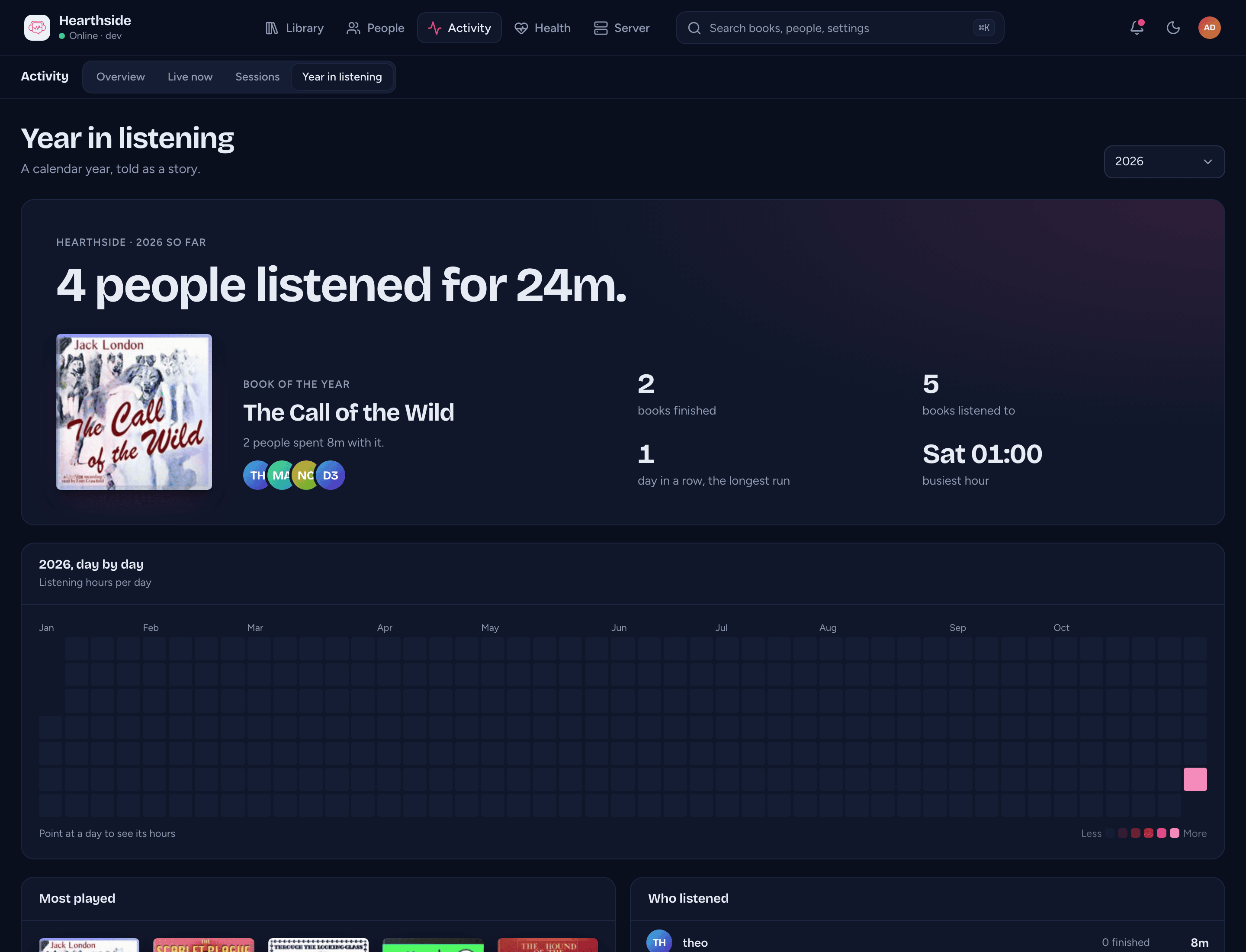
Activity > Year in listening sums up one calendar year. Pick the Year. You see how many people listened and for how long, the book of the year and books finished. You also see the longest run of days with some listening, the busiest hour, the most played books and each person's hours.
Each person's listening
A person's page opens on their Listening tab: their year, the books they have in progress and have finished, and their recent sessions. See A person's page.
What the server records
To show who is listening and on what, the server keeps a few records about each person. Only admins can see them (apart from what a listener chooses to share with the house), and they never leave your server.
- Devices: each signed-in device's name, app and version, when it last connected, and the network address it last connected from. Only the latest address is kept. It is cleared within a day of the device signing out.
- Listening sessions: who listened to which book, when, for how long, how far, on which device and app, and whether it was transcoded.
- Start and finish dates for each book a person reads. An admin can correct them from a person's progress menu.
Detailed sessions are kept for 400 days unless you change Days to keep sessions (30 days to 10 years) in Server > Settings > General. After that the server reduces them to daily totals: how long each person listened to which book on which day.
Deleting an account removes all of its records. Deleting a library removes the listening records for its books. You can also sign out a single device.
Listeners' own lists and goals
The server also keeps things each listener sets up for themselves: their Up next queue, their collections, their ratings and a yearly listening goal. Nothing in the admin console shows them.
Two things are visible to other listeners:
- Sharing a collection shows usernames. To pick who to share with, any signed-in listener can see the usernames of the server's other accounts. Nothing else about the accounts is shown.
- A shared collection shows its owner. The person it is shared with sees its name, description, owner and only the books they can already open. Sharing never gives anyone access to a book.
Each listener can see their own listening figures in their app, never anyone else's. Deleting an account removes its lists, ratings and goal. All of it is part of every backup.
Listening in the house
Listeners can choose to share what they're listening to with others on the server who share too (see Listening in the house). The server keeps only each account's choice. Nothing in the admin console shows who shares.
Casting
When a listener plays a book on a Chromecast, their app gets a temporary pass for that one book. It lasts 24 hours and covers only the audio and cover, so the Cast device never gets the listener's own sign-in. The pass stops working when the device that asked for it signs out, or when the account is deleted.
Good to know
- Listening from before the server recorded sessions is estimated from where each book was left. Estimates count in the totals and top lists, not in the day-by-day charts, and the pages say how much is estimated.
- Listening imported from Audiobookshelf counts like any other, except in Apps in use and How it played.
- An app too old to name itself to the server shows as "Unknown app".