Detect chapters
A book that is one audio file with no chapter markers plays as one long track, so listeners can't skip between chapters. Your Bridge can find its chapters in the narration. It transcribes the audio and listens for the headings the narrator reads out, like "Chapter One" or "Prologue".
Detecting chapters uses no AI agent, so it costs nothing but the time transcription takes. Generating characters and recaps for such a book finds its chapters first by itself, so you only need this page for the chapters alone.
What you need
- An admin account.
- A Bridge that is paired and online (see Add a Bridge).
- A library the Bridge can write to, shown as Ready in
Server > Settings > Bridge. The Bridge saves the
chapters it finds in a
.audiosilofolder beside the book, and never changes the audio file.
Detect chapters for a book
You can also start detection from the Chapters card on the book’s page. Both the card and the Health row show the job’s progress.
The Health page lists books over two hours with no chapters under Long books without chapters. It offers Detect chapters on each row, and for the books you tick.
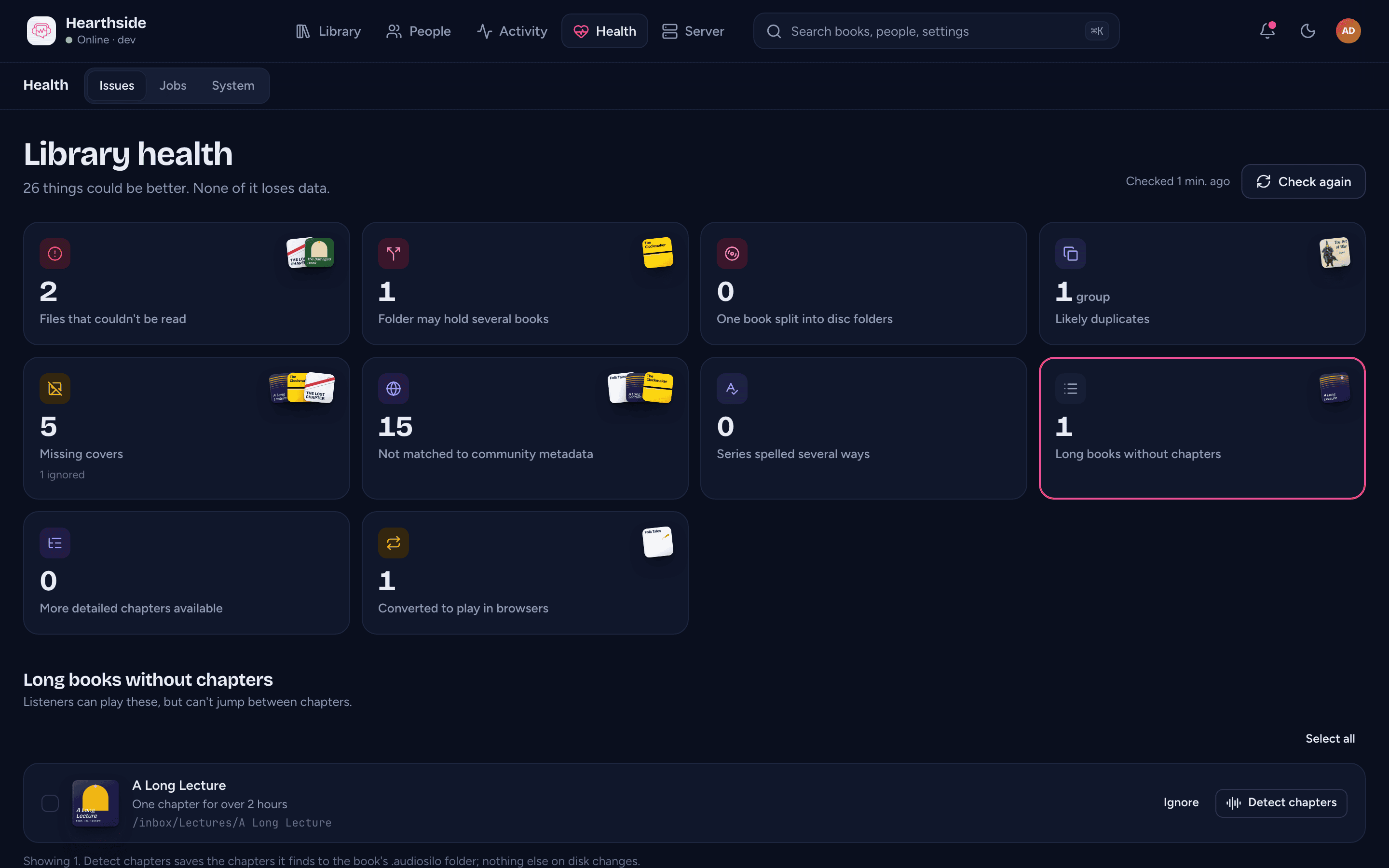
To find a book's chapters:
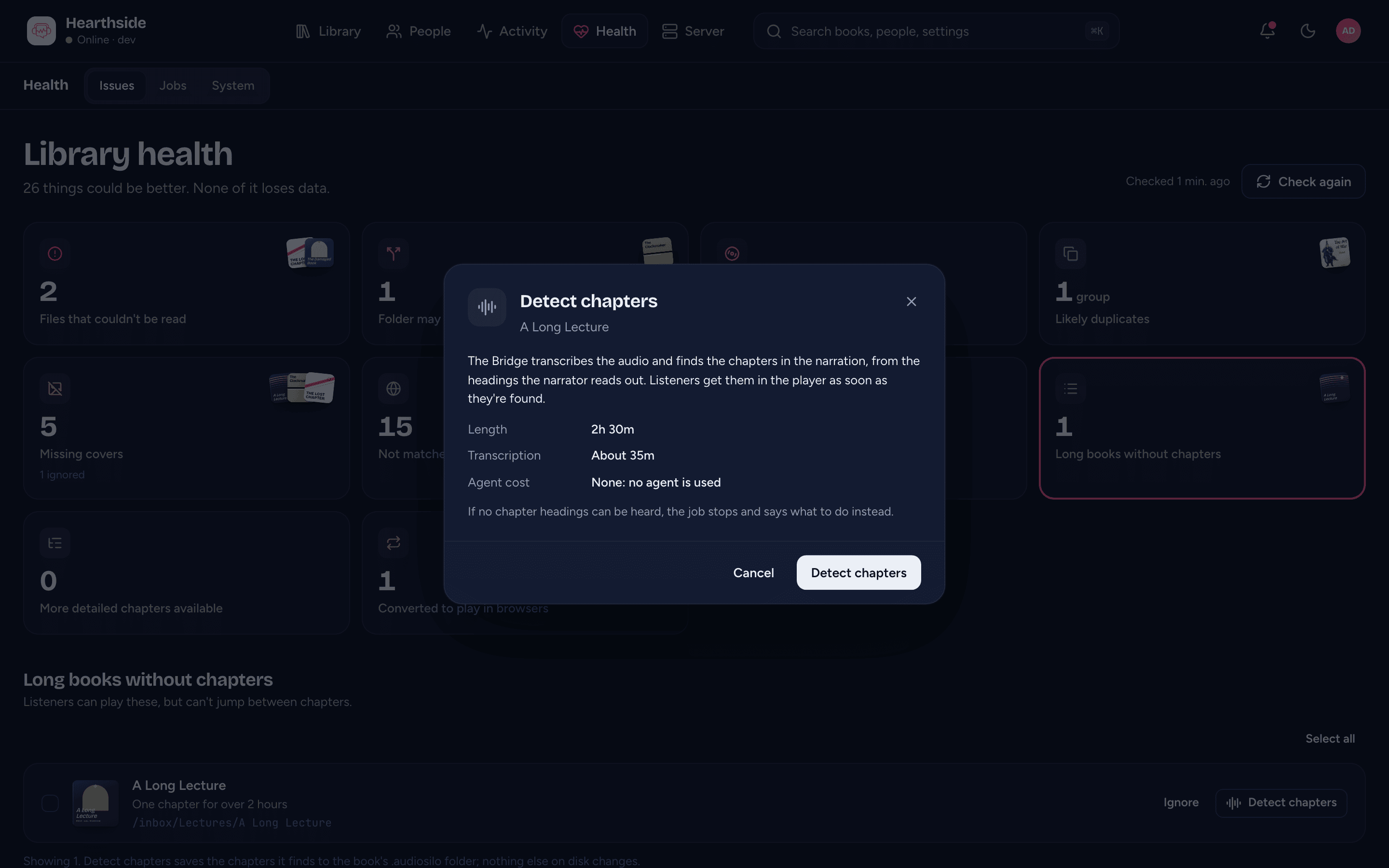
- Press Detect chapters. The confirmation shows how long transcription will take. When it needs a worker and none is connected, it says the job waits until one connects.
- Press Detect chapters again to queue it.
- Follow it as a Chapters job in Server > Settings > Bridge. A job that pauses also shows on the book's Chapters card, with the reason.
When the job finishes, the book's chapters are in the player and on the book's Chapters card in the console.
A worker on a faster computer makes transcription quicker. Generating characters and recaps later reuses that transcription. If you cancel a Chapters job and detect chapters again, it carries on from what was already transcribed.
When no chapters are found
The Bridge never guesses. When it can't find the chapters with confidence, the job pauses and says why. You can:
- add chapter markers to the audio file with your tagging tool, then cancel the job,
- cancel the job and set the chapters yourself in the console, or
- cancel the job and leave the book as it is.
Where found chapters show, and turning them off
In the player they work like any other chapters, and the chapter list says they were found on this server. In the console, the book's Chapters card shows them and turns them off or on.
Chapters you edit on the book's page win, then the book's own, then the community database's, then the found ones. Replacing or re-encoding the file stops found chapters being used.
Books that get no detection
- A book with edited chapters. Health offers no Detect chapters for it, and detecting many books at once passes over it. Revert the edit on the book's page first.
- A book whose chapter source you chose. When you picked the file's or the community's chapters on the book's Chapters card, found chapters would never be used. Press Use automatic on the card first.
- A book with another Bridge job open. While the book's characters and recaps, description or read-along job runs, Detect chapters is refused. Queue it once that job has finished. Generating characters and recaps replaces an open Chapters job.
Saving an edit, or choosing a chapter source, cancels a Chapters job for that book that is still waiting or paused, and the job says why. A job already running finishes. Its chapters are saved, but your edit or choice still wins.