The community metadata site
AudioSilo Meta at meta.audiosilo.app is an open, community-built database of audiobooks: the books themselves, each narration (recording), the narrators and authors behind them, and the series they belong to. It is the catalogue that powers the book page extras in the player - and it is free for anyone to browse, with no account and no sign-up.
The database treats the details other catalogues skip as first-class information: every recording lists its narrators, and one book can hold many recordings (for example a Stephen Fry reading and a Jim Dale reading), each with its own runtime, publisher, chapters and store identifiers.
Those chapter lists are used by AudioSilo servers too: a matched book whose files have no chapters of its own gets its recording's chapters, fitted onto the server's copy of the audio, and an admin can switch a book with broad chapters to the more detailed community ones (see Community chapters).
Browsing the database
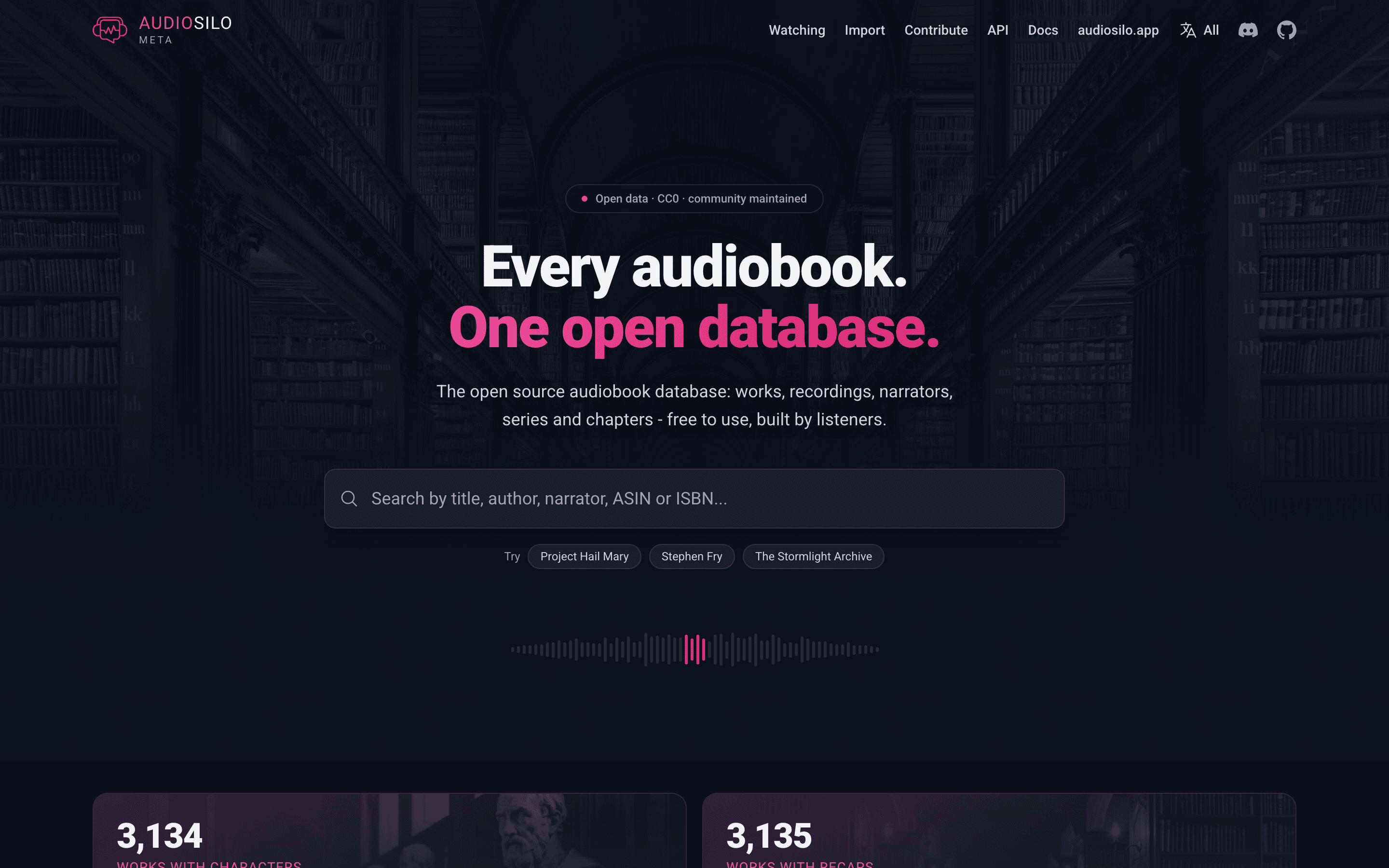
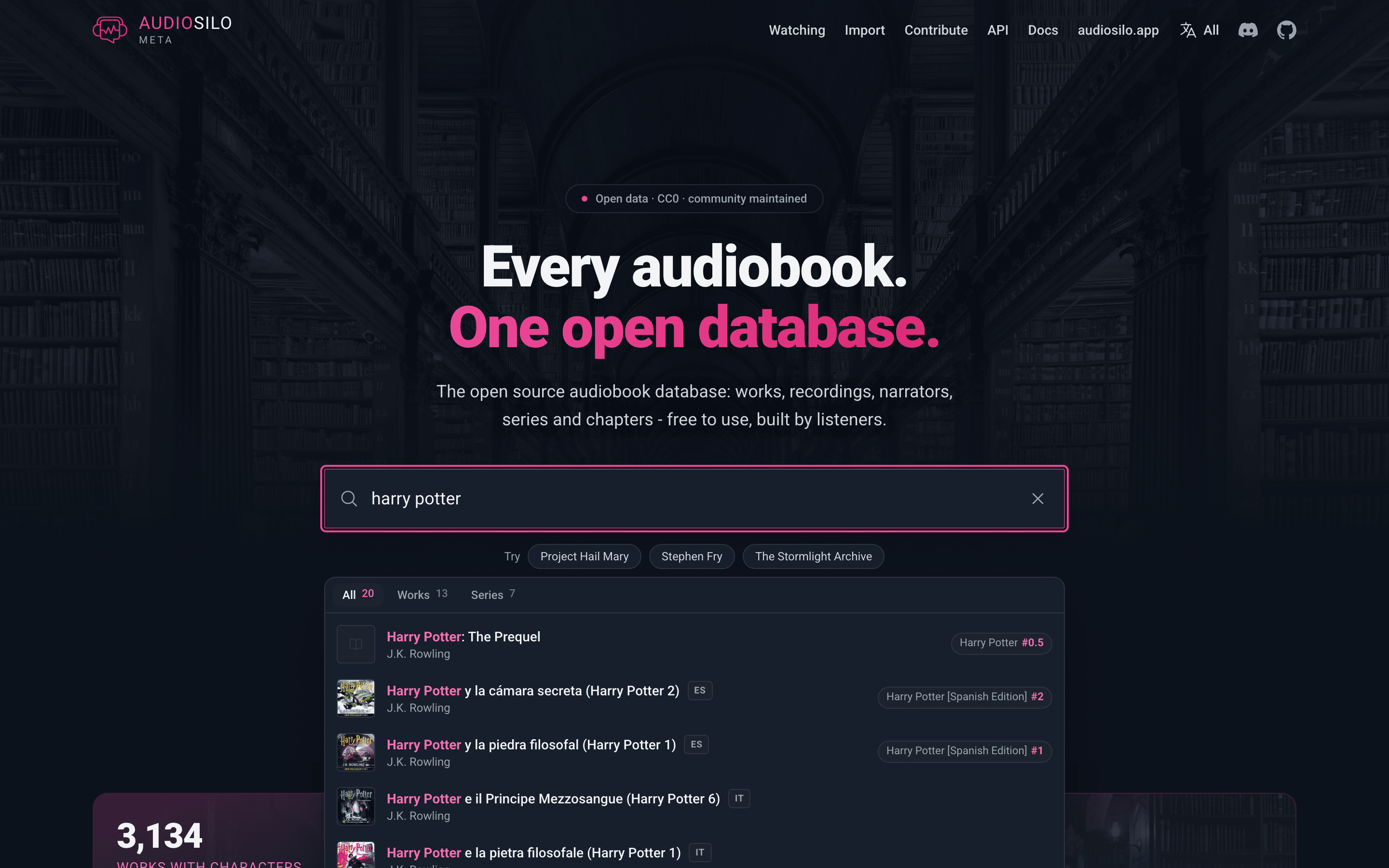
The home page has a single search box. It searches books, people (authors and narrators), and series at once, and if you paste an ASIN or ISBN it jumps straight to the exact recording. You don't need to get apostrophes right: "enders game" finds Ender's Game, and "finnegan's wake" finds Finnegans Wake. Below the search box you'll find the latest additions and a running count of what the community has catalogued so far.
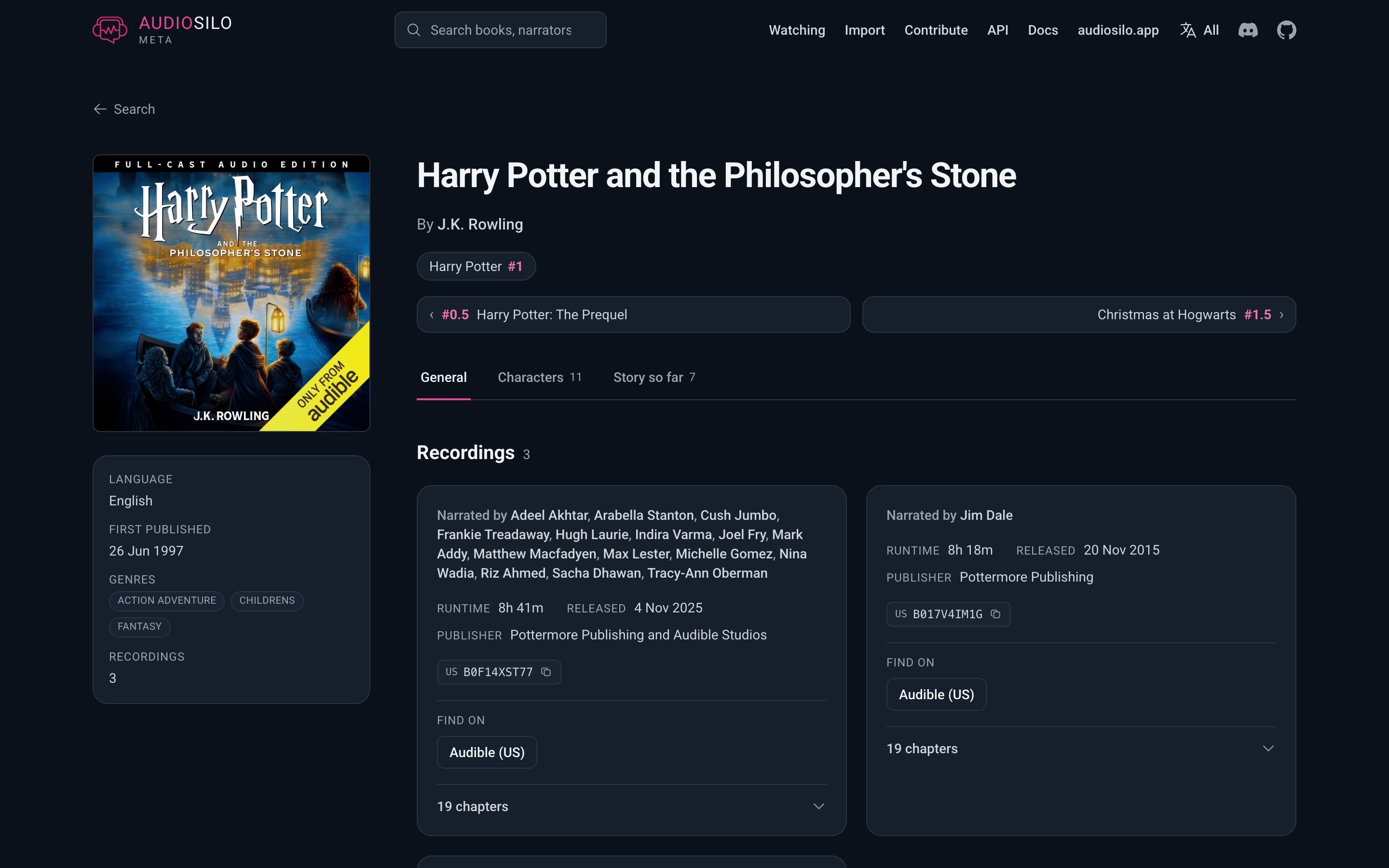
- A book page lists every catalogued narration of that title. Each recording card shows its narrators, runtime, release date, publisher, any region-specific ASINs and ISBNs (tap one to copy it), and an expandable chapter list. If the book belongs to a series, the page links to the series and offers previous and next buttons plus a "more in this series" row of covers.
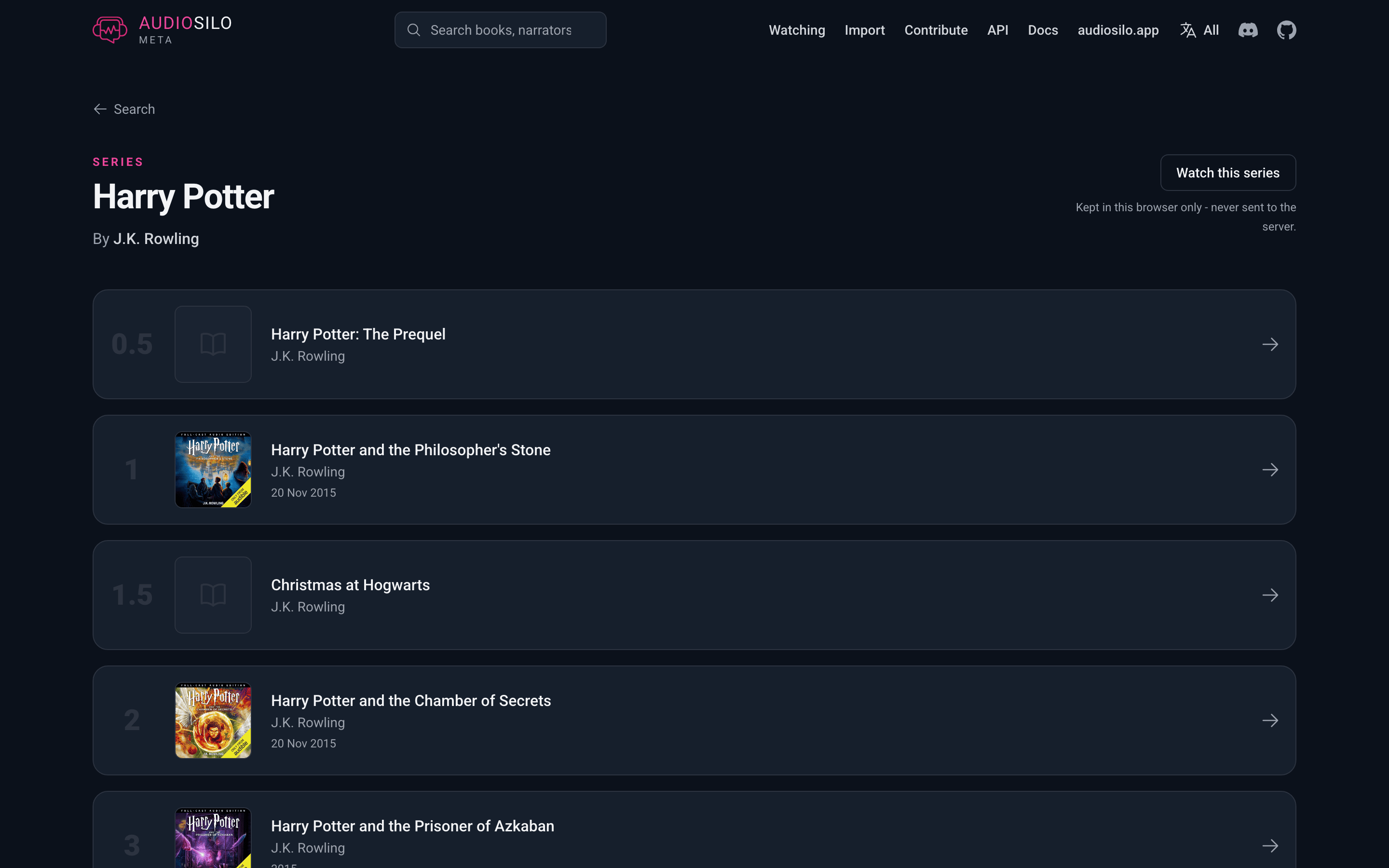
- A series page lists the member books in reading order, with their positions (including half-numbers like 2.5).
- A person page collects everything a narrator or author is credited on.
Choosing languages
The catalogue holds audiobooks in many languages - mostly English, with German, Spanish, French, Italian and a dozen more - and by default the site shows all of them. If you only want to see some, open Languages in the site header (in the menu on a phone). It lists every language the catalogue has books in, with how many; tick one or several (up to eight), and All languages clears the choice again. Each change applies straight away.
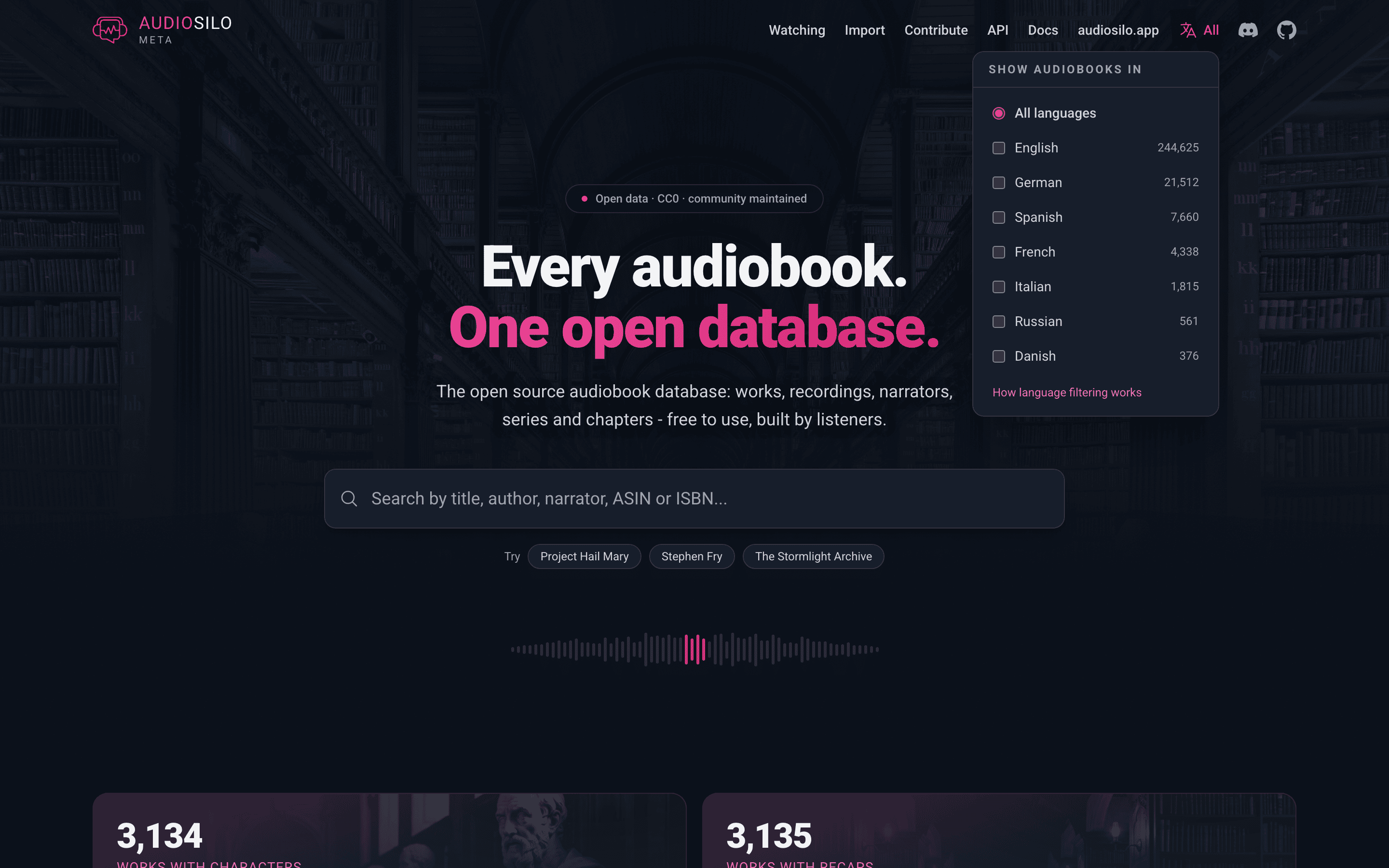
Your choice is kept in this browser only, like the watchlist - there is no account, and the only thing sent to the database is the list of languages on the searches it narrows.
What the choice narrows:
- Search - books and series in the search box. People are never hidden, since an author or narrator has no single language. A series counts as the language most of its books are in; a series split evenly between two languages is always shown rather than guessed at.
- Latest additions on the home page.
- The browse books by coverage list on the contribute page (the totals above it still count every language).
What it never touches: a book, series or person page always shows the whole record, including its translations, and a lookup by ASIN or ISBN always finds its book. The import page, the Watching page's library import, the watch feeds and the calendar all ignore it too - a book you own is catalogued whatever language you prefer to browse in.
Languages match by their main language, so choosing German includes books tagged as Austrian or Swiss German.
A few more things you'll notice:
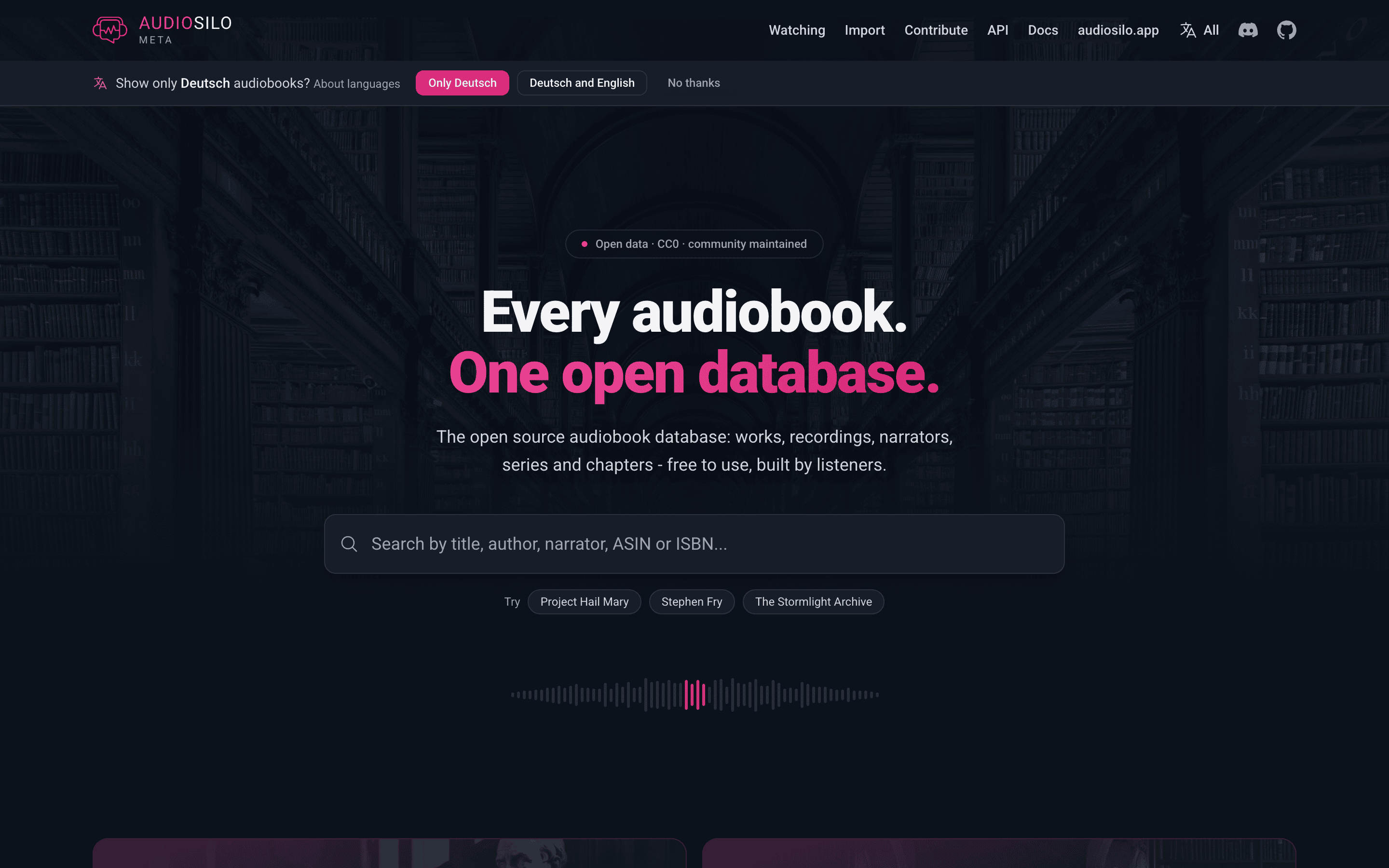
- The one-line suggestion. If your browser prefers a language other than English and the catalogue has books in it, the site asks once, in a line under the header - for example "Show only Deutsch audiobooks?" with Only Deutsch, Deutsch and English and No thanks. Nothing is filtered until you answer, and No thanks means it won't ask again.
- Language chips. A book or series in a language outside the ones you chose (or, if you haven't chosen, outside your browser's languages) wears a small chip with its language code, such as DE. A chip only marks a book; it never hides one.
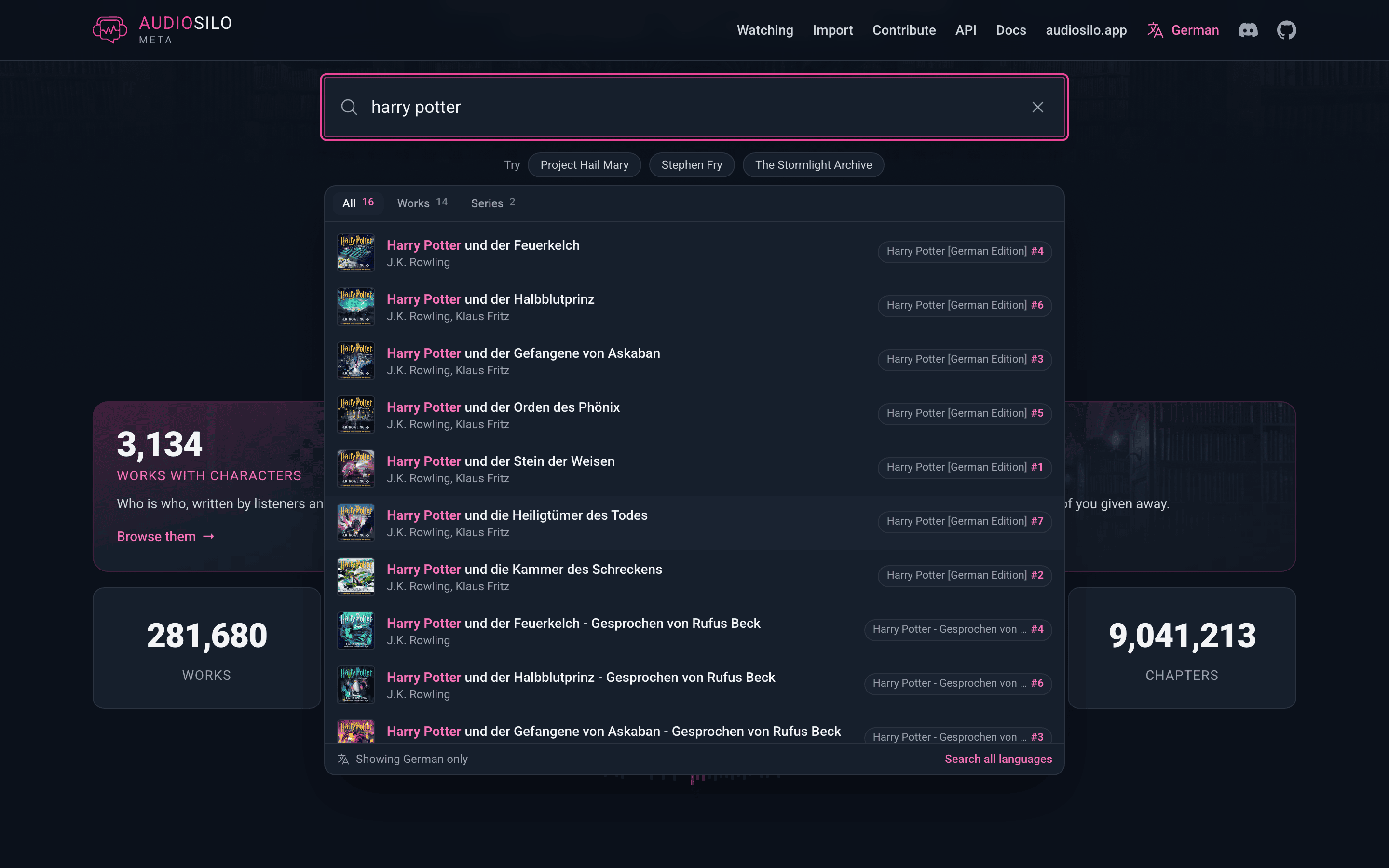
- Searching every language once. While a choice is active, the search results say which languages they show, with a Search all languages button that sets the choice aside for that search box only, without changing what you picked.
- Shared links. A link can carry a language, for example
https://meta.audiosilo.app/?q=harry+potter&lang=de. Opening it shows that page in German and the selector says it was set by the link, but your own choice is left alone - it only changes if you change the selector yourself.
The site's own languages page says the same in more detail.
Characters and story-so-far recaps
On a book page, two extra tabs appear once the community has written them - the same material the player shows on a book's page (see Recaps and characters):
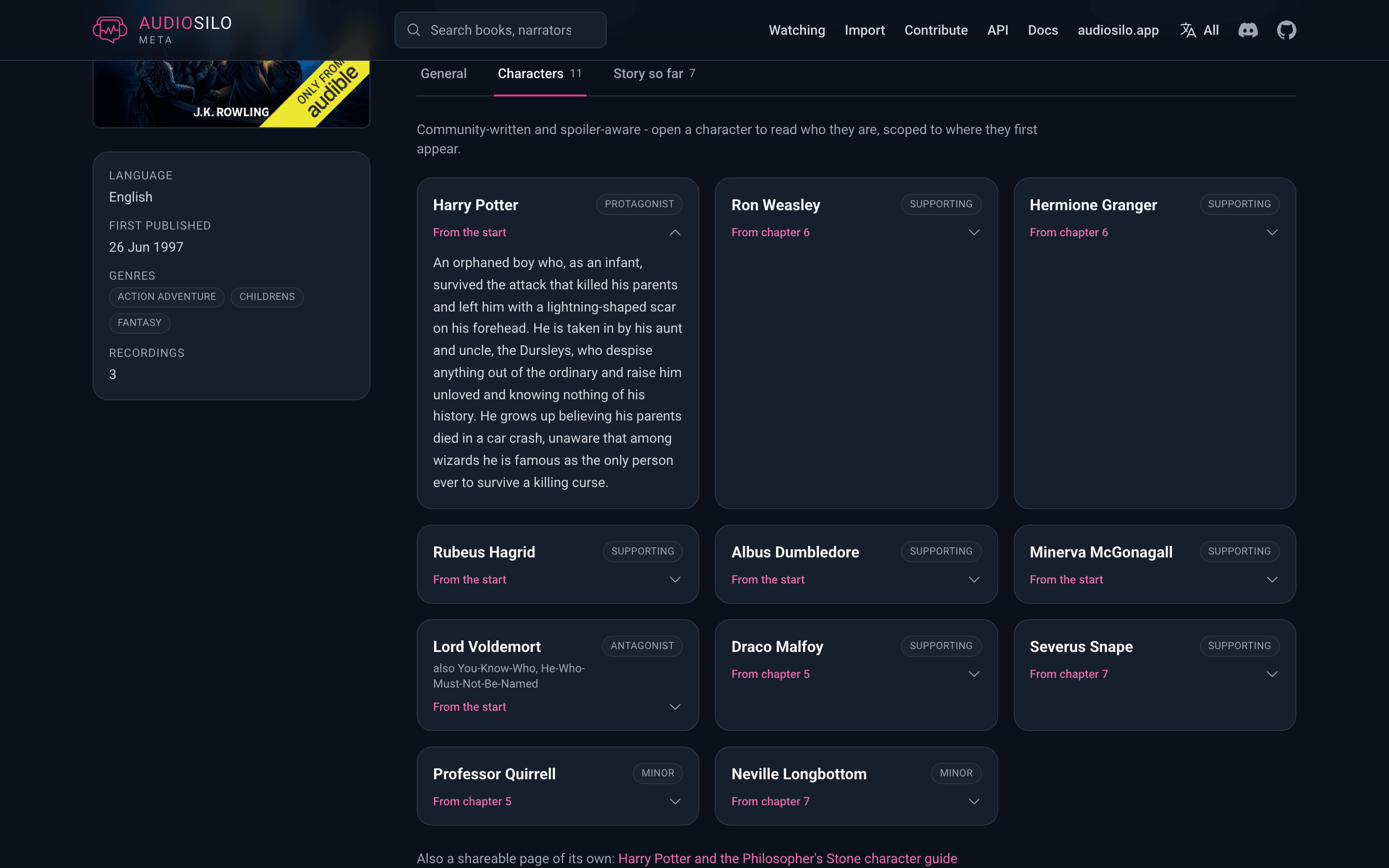
- Characters - a card for each person in the book, written by readers in their own words. A card's name, role and aliases are always visible, along with the chapter where the character first appears; the description stays hidden behind the card until you open it, so you choose when to read on.
- Story so far - short "what's happened up to here" recaps, each labelled with the chapter it is safe to read after. Every recap stays closed until you open it, so you can catch up to exactly where you've listened without spoiling what's ahead. Some books also carry a whole-book summary and an ending recap for readers who have finished; those are marked as full spoilers.
Check your own library
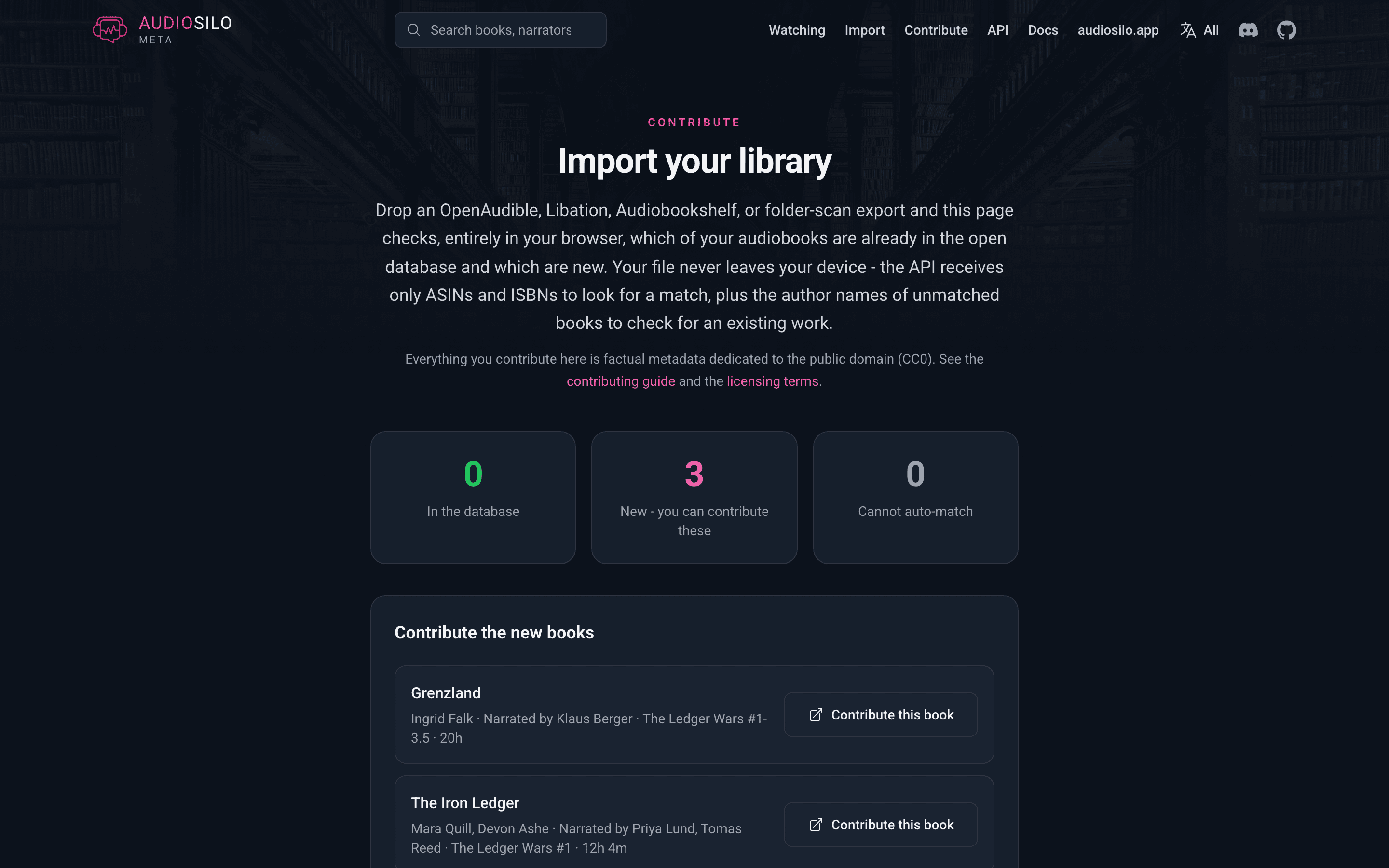
The import page tells you which of your audiobooks are already in the database and which are new. Drop in a library export and it sorts your books into "In the database", "New - you can contribute these", and "Cannot auto-match".
It accepts an export from OpenAudible, Libation, or Audiobookshelf, or a scan of a plain folder of audiobooks. The page explains how to produce each one.
Your file is read entirely in your browser and never uploaded. Only the book identifiers (ASINs and ISBNs) are sent to the database to look for a match, plus the author names of books that didn't match, so it can tell a brand-new book from a new narration of a book that's already listed. Personal fields - purchase history, ratings, file paths - never leave your device.
Watching a series
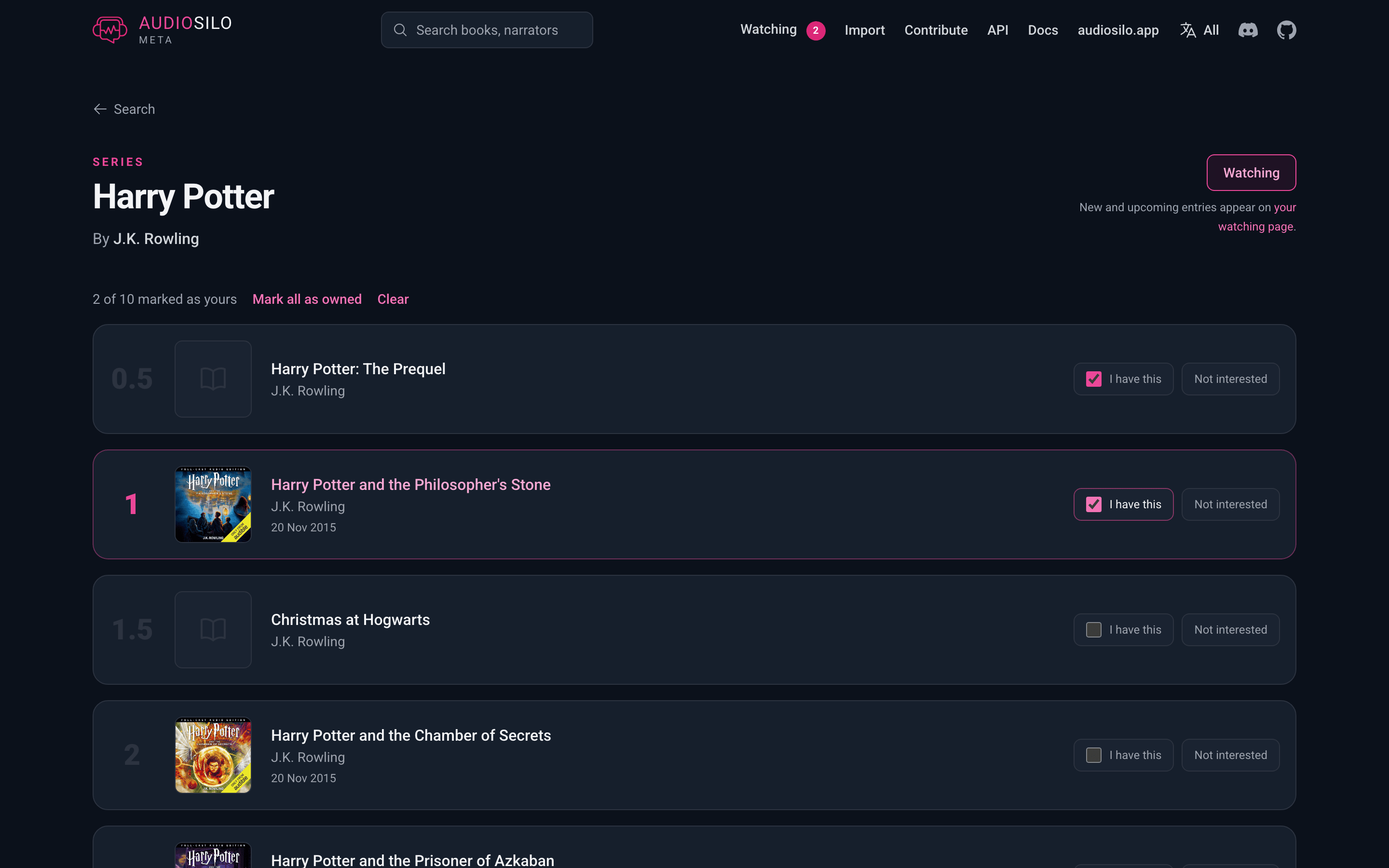
Every series page has a Watch this series button beside the title. Press it and the button reads Watching: the site now knows you follow that series, and new or upcoming entries turn up on your Watching page. Press it again to stop watching (which also forgets which volumes you'd marked as yours).
Your watchlist is kept in this browser only. There is no account to create, nothing is sent to the server, and the database doesn't know you're following anything. The flip side is that clearing this site's data clears your list, so it's worth keeping a backup.
Marking what you own
While you're watching a series, each volume in the list gains an I have this checkbox, and a line above the list keeps the count - "3 of 11 marked as yours" - with Mark all as owned and Clear beside it.
Every volume also shows its release date, at whatever precision the catalogue records: a full date where one is known ("20 Oct 2026"), otherwise just the month or the year. A date that is still in the future gets a Preorder pill, so a book you can't listen to yet is never mistaken for one you're simply missing.
Ticking a volume is what stops the Watching page from offering it to you, so the list there is only the books you don't have.
The Watching page
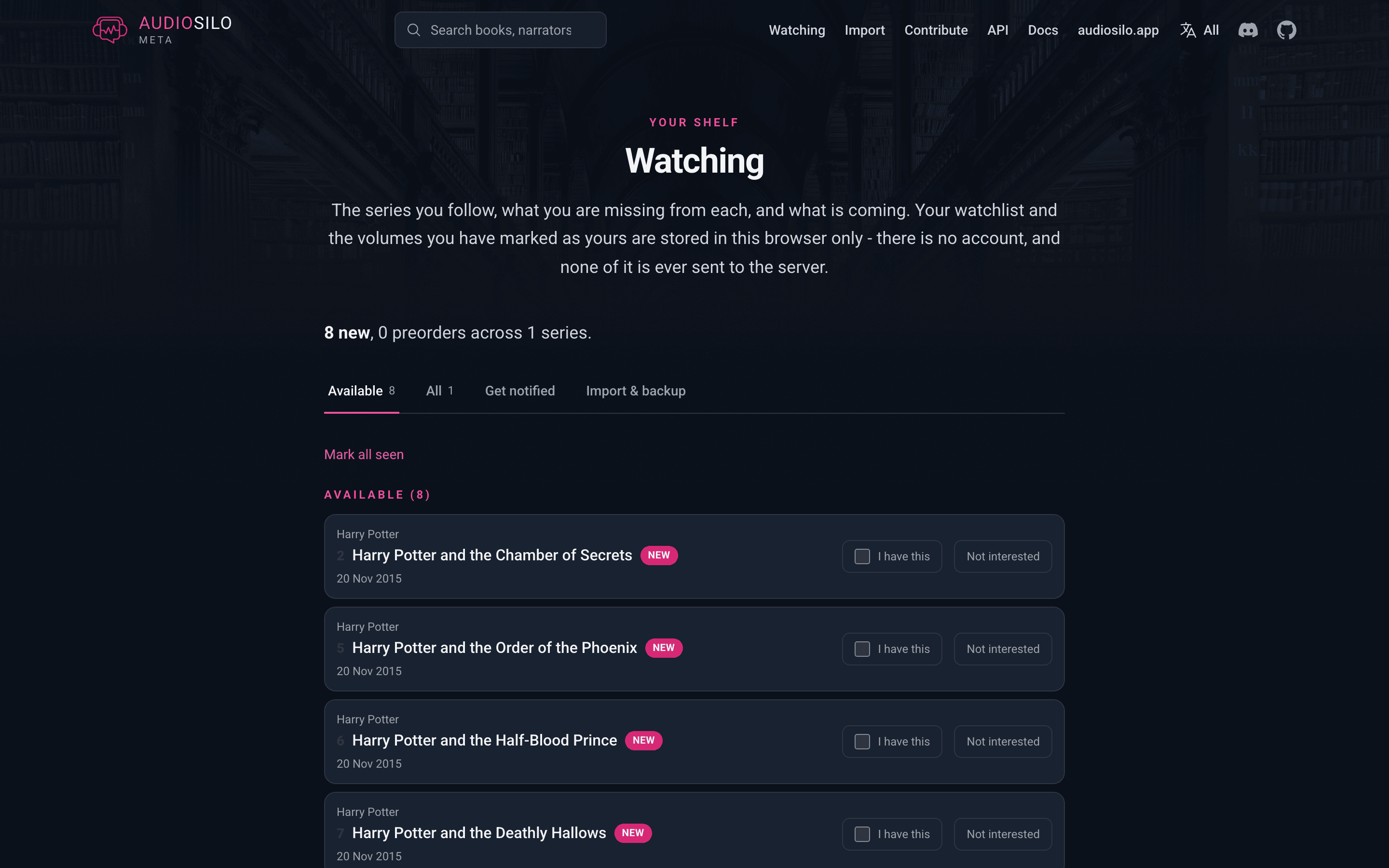
meta.audiosilo.app/watching (also Watching in the site header) is the summary: how many new entries and preorders there are across the series you follow, then one panel per series.
Each panel sorts what you haven't ticked into two groups, in series order:
- Available - released entries you don't have yet. When you have them all it says so instead. An entry with no recorded release date counts as available; the catalogue simply doesn't know when it came out.
- Preorder - entries whose release date is still ahead. The group is left out entirely when there aren't any.
Anything you've marked as yours is tucked away behind a "n you already have" line at the bottom of the panel, where you can untick it again if you were wrong.
A New badge marks an entry the page hasn't listed for you before. Simply opening the page counts as seeing them, so they're new once and quiet after that; Mark all seen clears a whole series' badges without waiting.
Each panel also has Hide and Unwatch. Unwatch forgets the series completely. Hide keeps everything you've marked but takes the series off this page - and out of every library import, so it won't be suggested to you again. Hidden series are listed in a Hidden series block further down the page, with Unhide to bring one back and Forget to drop it for good. (A hidden series' own page offers Show it again too.)
Importing your library
Rather than pressing Watch on one series at a time, drop a library export into Import from your library further down the Watching page. It reads the same files the import page takes:
- OpenAudible (
books.json) - Libation ("Export Library" JSON)
- Audiobookshelf (a library export)
- an audiosilo folder scan, and the new-books file the import page itself downloads
- an AudioSilo server library export - see exporting a library in the admin guide for how to produce one
The site matches your books against the database and comes back with a checklist: one row per series you own something in, showing how much of it you have ("4 of 9 owned"). Tick the ones you want to follow and press the Watch button - each ticked series is watched, with the volumes your export matched already marked as yours.
Leave a row unticked and you can also tick Never suggest again. That series is then hidden: it stays out of the Watching page and out of every future import checklist, so a series you're deliberately not collecting doesn't come back every time you re-import.
Books that couldn't be placed in a series are listed under "n books were not added to a series" - either the database doesn't hold them yet, or it does but they aren't part of any series. Nothing is dropped silently, and the import page can turn the missing ones into contributions.
As on the import page, the file is read entirely in your browser and never uploaded. The only things sent to the database are the book identifiers and, for books that can't be matched that way, author names - the same requests the search box makes. Your watchlist itself never leaves the browser at all.
Backing up your watchlist
Because the watchlist lives in your browser, clearing the site's data (or moving to another browser, phone or computer) loses it. The Backup block at the foot of the Watching page is the answer:
- Download watchlist (.json) saves the whole thing - the series you follow, what you've marked as yours, and what you've hidden.
- Import a backup reads one back in. It merges rather than replaces: anything either side has marked stays marked, so importing an old backup can never un-tick a book you've since said you have. A series hidden on either side stays hidden; bringing one back is always an explicit Unhide.
Copying your list to a second device is the same two steps - download on one, import on the other.
Getting notified
Once you're watching at least one series, the Watching page grows a Get notified block with a feed URL in it. Press Copy, paste it into any RSS reader, and you get an entry whenever something turns up in one of your series: a book released in the last 90 days, a newly catalogued one, or a preorder with a date still ahead. There's an Atom feed and a JSON Feed link beside it if your reader prefers one or the other.
The easiest way is the AudioSilo Discord bot, which we run, so there's nothing to set up:
- Join the AudioSilo Discord.
- Allow direct messages from the server (server menu > Privacy Settings > Direct Messages).
- Open a direct message with the AudioSilo bot and paste your Atom feed URL. It replies with how many series it's watching.
From then on, new releases, newly catalogued books and preorders in your series
arrive as DMs. Send help for the commands (status, pause, resume,
stop). The bot keeps your Discord ID, your feed URL and a record of what it
has sent you, so it knows what's new. stop deletes all of it.
Other ways people use the feed:
- Any RSS reader - Feedly, NetNewsWire, Miniflux, FreshRSS: paste the URL as a new subscription.
- Slack or your own Discord server - add it through their RSS apps, or a feed-to-channel bot.
- Automation - an IFTTT or Zapier "new item in feed" trigger can turn it into a phone notification.
- Self-hosted push - hand the URL to an RSS-to-ntfy bridge.
Two things are worth knowing about how it works:
- The URL is the subscription. It carries the list of series inside it and the site stores nothing - there's no account and no subscription record. So whenever you start or stop watching a series, come back and copy the URL again (and paste the new one to the Discord bot, if you use it); the old one keeps reporting the old list. Series you've hidden are left out of it.
- Treat it as private. Anyone who has the URL can see which series it lists. It grants no access to anything else - the database is public and read-only - but it does say something about you, so don't post it anywhere public.
Contributing
Everything in AudioSilo Meta is added by its users, and you don't have to be a programmer to help. Contributions are made through guided forms that open a prefilled entry on the project's GitHub page; a bot then checks the submission and files it. You need a free GitHub account to submit one.
There are forms to add a book or a narration, to write a book's characters or its story-so-far recaps, to send in a correction, and to submit a whole library at once. The import page above turns each new book it finds into a one-click "add this book" link.
To submit a whole library, drag your exported JSON file into the library form's Export file box; GitHub uploads it and puts a link in its place. Files up to 25 MB are accepted, which covers a large OpenAudible or Libation export. Anything else you want to tell the maintainers can go on its own lines after the file link.
Much of the catalogue was filled in automatically from a public Audible catalogue, and nobody has confirmed those entries yet. If you add a book or a narration that is already there from that automatic import, and your submission includes its ASIN, your details win: the bot replaces the imported runtime, release date, publisher and cover with yours (anything you left blank keeps the imported value, and a year on its own never replaces a full date) and opens the change for review. If your details disagree sharply with what was imported - a runtime more than 10% different, or a different release date - or name different authors, narrators or language than the entry that ASIN belongs to, nothing is changed and a maintainer takes a look instead. Without the ASIN the bot can't be sure it is the same edition, so it asks a maintainer and tells you which ASIN to add to your submission to let it go through automatically.
A book that shares its title with one by a different author is simply added as its own book, next to the other one. If the two authors' names are very close, the bot can't tell a typo from a different person, so a maintainer checks first.
When you send a correction, the bot tells you straight away if it can't be applied as written: a field that belongs to the other kind of record (a runtime belongs to one narration, not to the book as a whole, so it is corrected on the recording), or a value the catalogue doesn't allow, in which case it lists the values that are. A correction that repeats what the record already says gets an "already in the database" reply, since there is nothing to change.
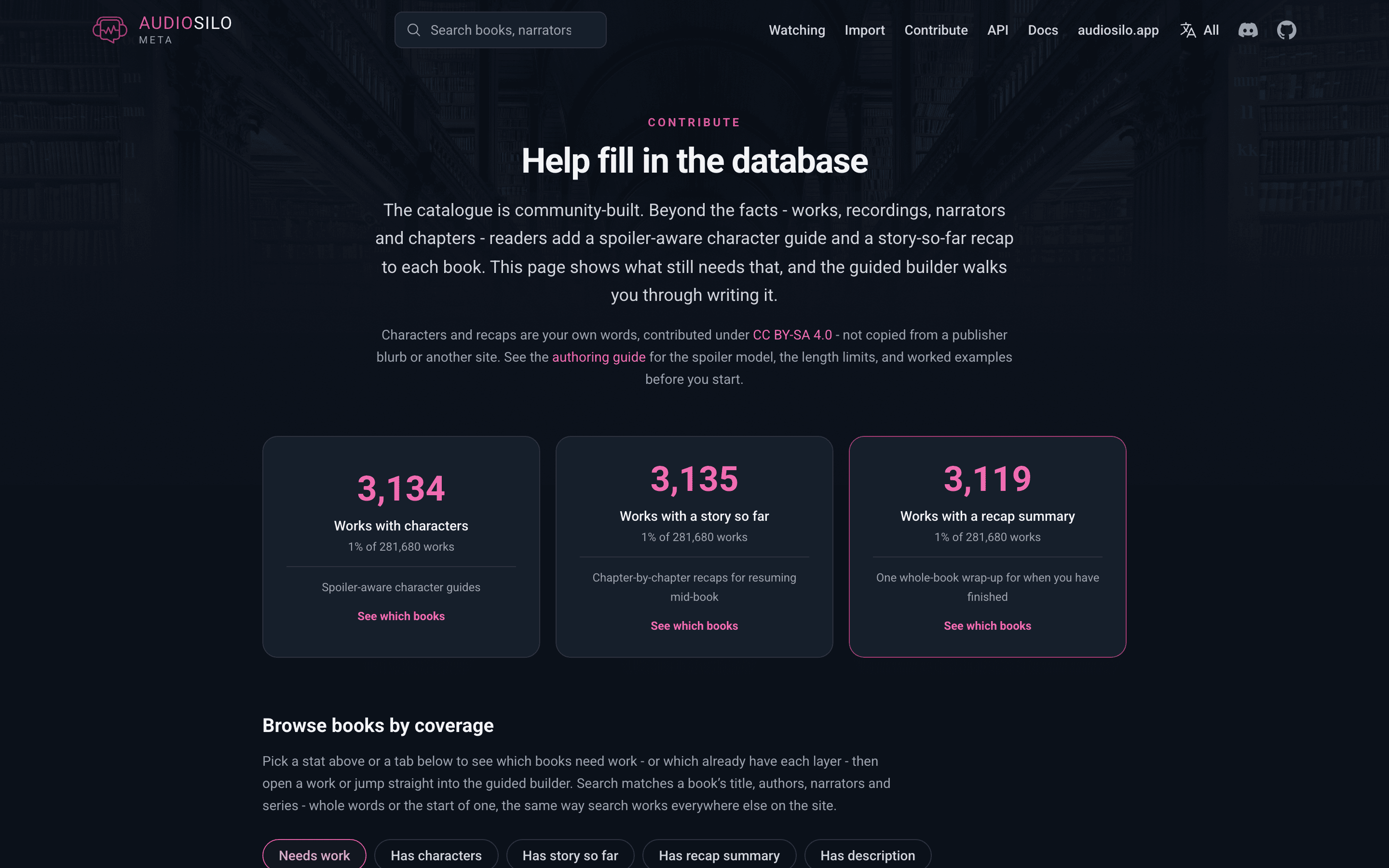
The contribute page shows where help is most needed: which books still need characters or recaps, and which series are missing volumes. From there, a guided builder walks you through writing the characters and recaps for a book you know well, checking the spoiler positions and length limits as you go, and hands you a finished submission at the end.
How the data stays honest
Two rules keep the catalogue clean, and they're worth knowing before you contribute:
- Facts only, in your own words. The catalogue records verifiable facts and community-written descriptions. It never copies a publisher's blurb or text from another site, and it stores cover art as a link rather than a copy.
- Two open licences. The factual catalogue - books, recordings, narrators, series - is dedicated to the public domain (CC0), free to use in any app for any purpose. The community-written characters and recaps are shared under CC BY-SA (credit the source and share your own additions on the same terms).
Works with Audiobookshelf
If you use Audiobookshelf, AudioSilo Meta can act as a custom metadata provider for it, so your Audiobookshelf library can pull narrators, recordings, series order and cover art from the community database. The Audiobookshelf page has the setup steps, and also shows how to send your Audiobookshelf library back to help fill in the catalogue. Titles match even when Audiobookshelf reads them from a file name that has lost its apostrophes.
If your library is mostly in one language, add that language's code to the provider URL - for German:
https://meta.audiosilo.app/abs/de
Matches in that language then come first, but nothing is left out, so a book
whose only catalogued edition is in another language is still found, and a book
by the author Audiobookshelf asked about still comes before a same-language book
by somebody else. Several languages can be listed with commas (/abs/de,en),
and you can add one provider per language and pick the right one when you match.
The plain https://meta.audiosilo.app/abs keeps working exactly as before.