Bookmarks and notes
A bookmark marks a moment in a book: a line you loved, a scene to hear again, a name you'll want later. A note is a longer thought pinned to a place in the book: a theory, a reminder, a quote typed out. Both are saved to your account, so they follow you to every device.
Adding a bookmark
One tap adds a bookmark where you are: the bookmark button in the full player or on the player bar, or the B key in the web player. A note confirms it: "Bookmark added", with the time. Nothing interrupts your listening.
That note carries an Add note button: tap it while the note is showing to open the bookmark's editor and say what the moment was, or give it a label.
On a book's Bookmarks tab (on its page, or in the player's companion), the Bookmark 17:26:50 button at the top does the same for the book you're playing. For a book that isn't playing, it opens the editor at your place in the book first, so you can see where the bookmark will land before you make it.
The bookmark editor
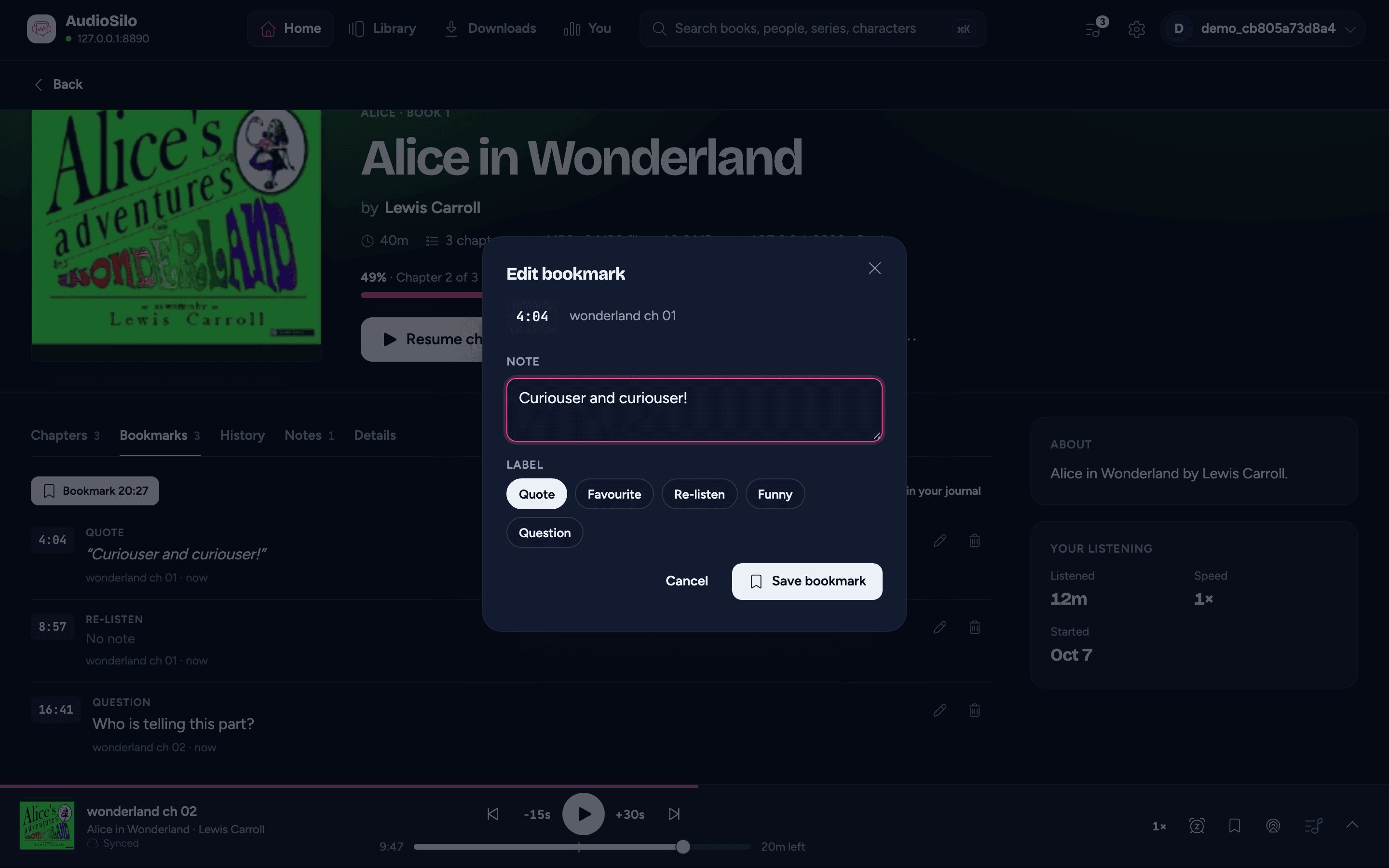
The editor shows where the bookmark is (the time, and the chapter it's in), then:
- Note - what happened here, in your own words (up to 2,000 characters).
- Label - one of Quote, Favourite, Re-listen, Funny or Question, so you can find that kind of moment again later. Tap a label to choose it, and tap it again to clear it.
Bookmark 17:26:50 makes a new one; Save bookmark saves your changes to one you already have. On a phone the editor slides up from the bottom and rises with the keyboard, so what you type stays in view; on a computer it opens as a small window.
Notes
A note belongs to a place in the book, like a bookmark, but it's for more than a line. On a book's Notes tab, Note at 17:26:50 opens the note editor pinned to where you are: your place in the book while it plays, otherwise where you left off (or the start, for a book you haven't started). Write as much as you like (up to 10,000 characters), then Pin note.
Notes understand simple formatting: **bold**, *italic* and lists. Notes you wrote before AudioSilo pinned them to a place sit at the start of the book (0:00).
Your bookmarks and notes
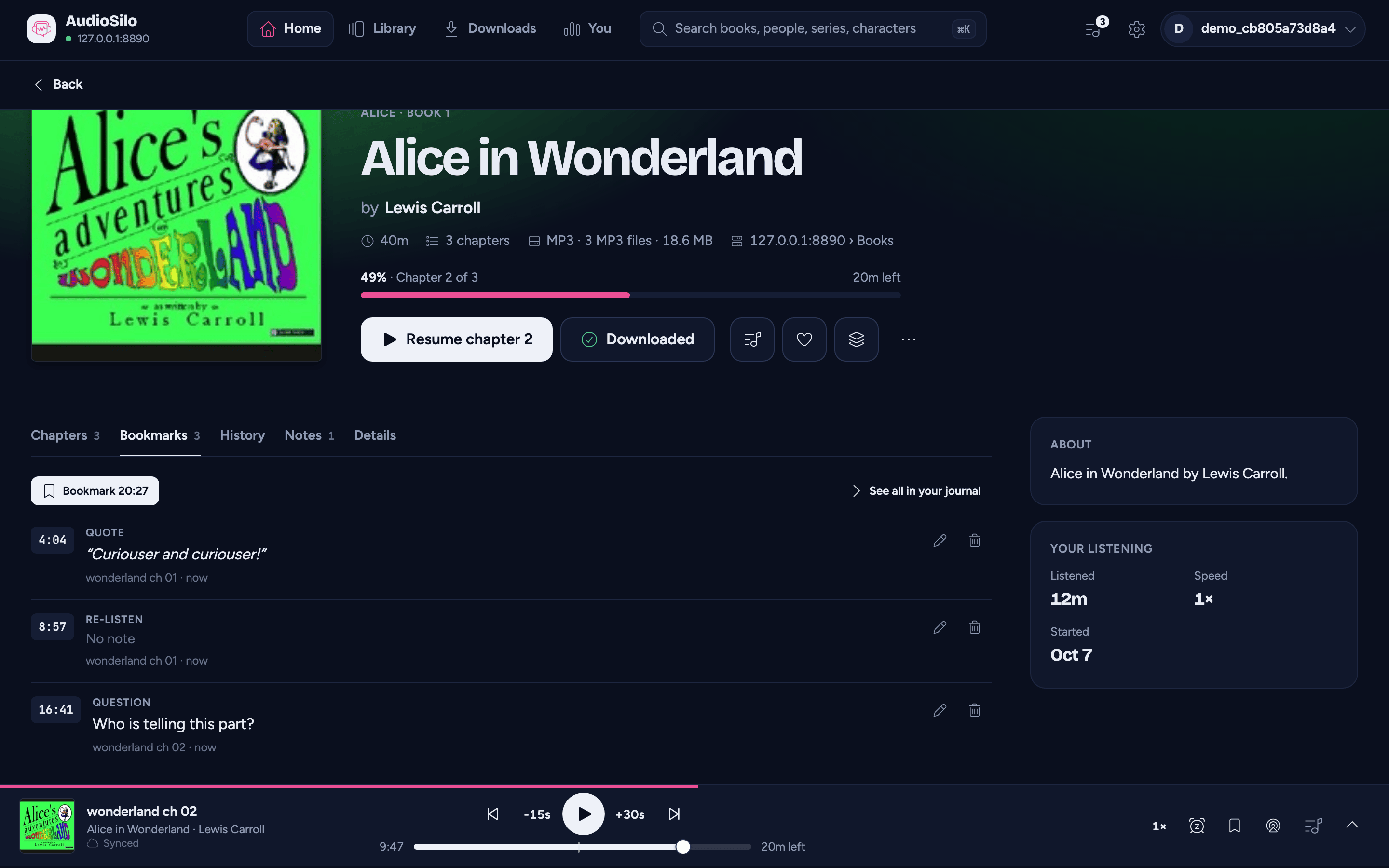
Each book's Bookmarks and Notes tabs list them in book order. Each one shows its time (tap it to jump there), its label, its note (a Quote reads as a quotation), the chapter it's in and how long ago you made it. Then:
- Edit (the pencil) opens the editor again. A note keeps its place when you edit it.
- Delete (the bin) removes it straight away, with Undo in the note that follows. Undo puts it back where it was, with the same note and label (it counts as made just now).
On a phone, tapping a time opens the full player at that point, whether or not it's the book you're playing. On a tablet or computer the book you're playing jumps there and keeps playing, and another book starts there under the player bar. In the player's own companion, the book you're playing jumps there in place. A jump in the book you're playing can be undone like any other.
See all in your journal opens the Journal, which gathers every bookmark and note from every book (and every server), with a filter by label and a search.
Your bookmarks and notes also show as pins on the whole-book timeline, in the full player and on the book's page, and a bookmark puts a small mark on the seek bar and the player bar's scrubber. Tap a pin to jump to it.
Fell asleep
When the sleep timer stops a book and you didn't keep it going, it leaves a bookmark where it stopped, labelled Fell asleep with a small moon. In the list it reads "You drifted off around here" until you write a note of your own on it. The Journal's Diary shows it under the listening it ended, with a way to pick up from there.
On an older server
Adding bookmarks and notes works on every AudioSilo server. Labels, editing (and with it the Add note button after a one-tap bookmark), and the Journal's lists of bookmarks and notes need a recent one: on an older server the editor has no label choice, Edit isn't offered, and editing says "Editing needs a newer AudioSilo server." Ask whoever runs your server to update it.