Listening in the house
Listening in the house shows what the other people on your server are listening to: who, which book, which chapter, and whether they're listening right now. It's for a household sharing one AudioSilo server, so you can see that your partner is halfway through the book you just finished, or pick up the one the kids are on.
It is off by default, and it only works both ways: you see the others only while you share yours too, and they see you only while they share theirs.
Turning it on
Open Settings and go to Household and sharing. Each of your servers that supports it has a switch: Share what I'm listening to with the house. Under it, the app says exactly what it does:
"Your current book shows on the Home page of other people on Hearthside who share theirs too. Off by default."
(with your server's name in place of Hearthside). Turn it on, and from then on you see the others who share, and they see you. Turn it off again whenever you like: you stop showing up for them, and the house disappears from your Home page straight away.
The switch is per server: if you're signed in to two servers, you choose for each one. It belongs to the person listening: when several people share the device (profiles), each sees and sets the switches for their own accounts. It only appears for a server running an AudioSilo version that has the feature, and a demo account can't turn it on.
What you see
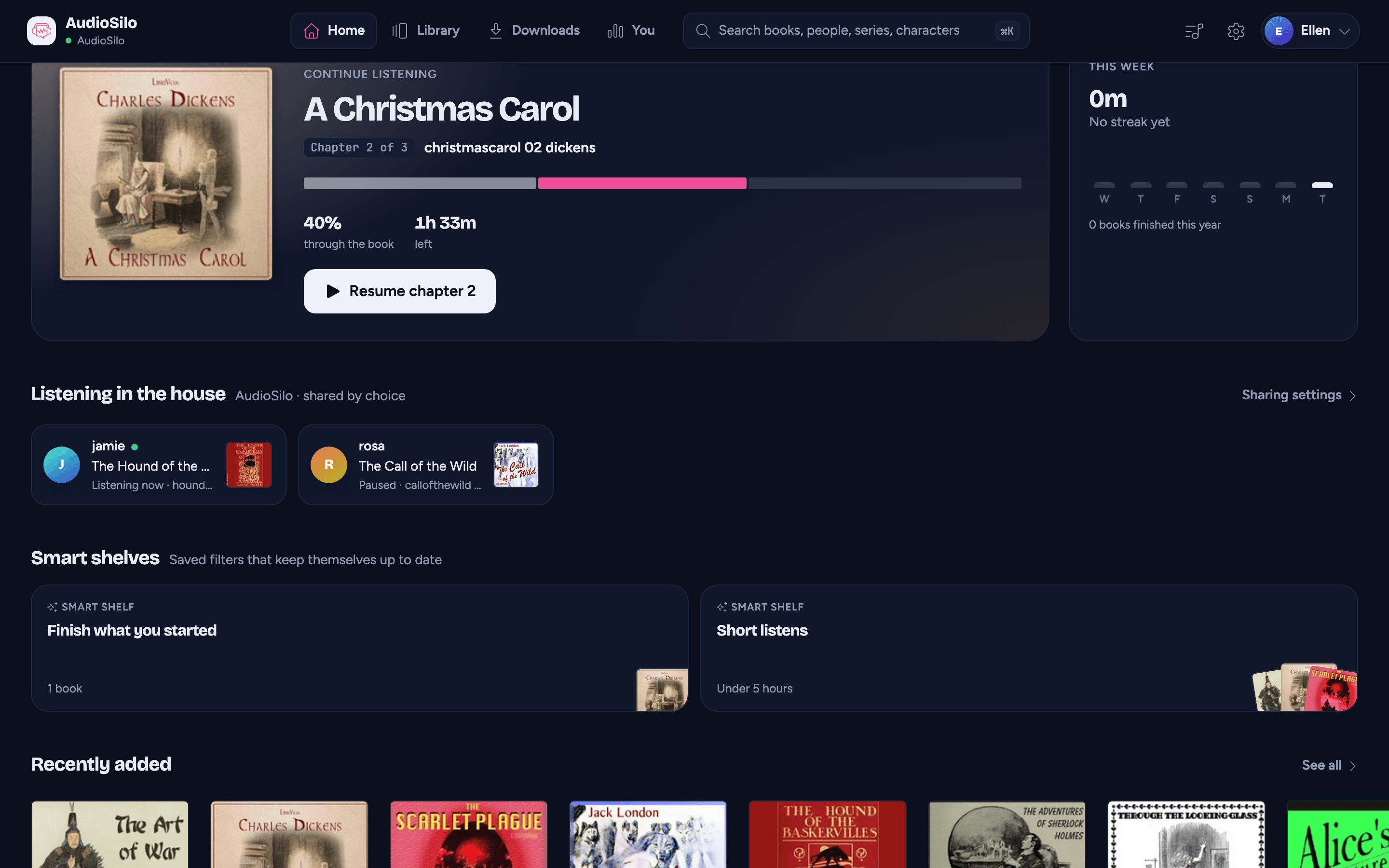
On your Home page, a Listening in the house section appears (after Next in your series) once someone else who shares has listened in the last day. Its line under the title names the server and says shared by choice. Each person gets a card:
- their initials and name, with a small green dot while they're listening right now;
- the book's title and cover;
- when, and the chapter: Listening now, Paused, Earlier today, Yesterday or Recently, then the chapter they're on ("Listening now · Chapter 4").
Tap a card to open that book's page. Sharing settings beside the title takes you to the switch. When nobody else is listening, the section isn't shown at all.
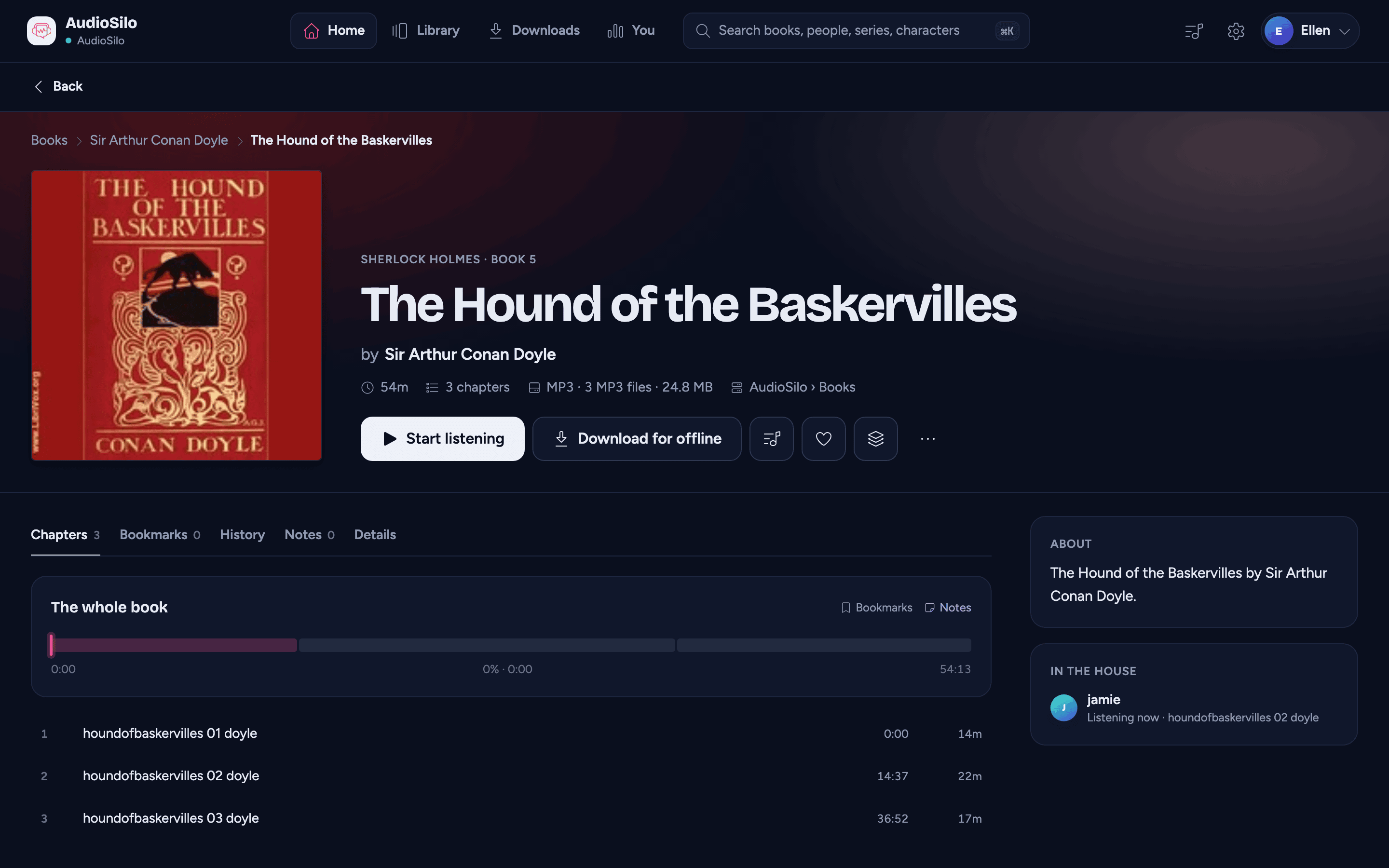
On a book's page, an In the house card appears when someone who shares is on that same book, with their name and where they are in it.
The house is checked again every minute while the app is open on the Home page or a book's page.
Who shows up
- Only other people on the same server who have turned sharing on. You never see yourself.
- Only their most recent book, and only if they listened to it in the last 24 hours.
- Only books you can open yourself. If someone's latest book is in a library or folder you don't have access to, that person doesn't appear at all, rather than showing an older book.
- Never a demo account, and never an account the admin has disabled.
What is and isn't shared
Shared, while you have the switch on: your username, the book you listened to most recently (its title, author and cover), your exact place in it and the book's length (the app shows the chapter you're on), and the exact time your app last saved your place (the app shows whether you're listening now, paused, or listened earlier).
Never shared: the device you listen on, your network address, or which app you use. None of that is ever sent to other listeners.
The server admin has no screen that shows who shares. An admin can already see everyone's listening in the admin console's Activity, whether or not you share with the house.
Notes
- While you don't share, the app doesn't ask the server who else is listening at all.
- It isn't live to the second. A card can be up to a minute behind, and Listening now means the person's app saved their place within the last minute.
- Only listening on this server counts. Listening that an admin imported from another app doesn't show up in the house.