Year in listening
Year in listening tells your year on a server as a short story, one card at a time: the hours, the books you finished, the book and the voice you spent the most time with, and more. It's made from your own listening on your server, and nothing leaves the server unless you share a card.
Open it from You: the Year section on a phone's Me tab, Year in listening in the sub-nav on a tablet or computer (see Finding You). The Play the story card at the bottom of Your listening leads here too.
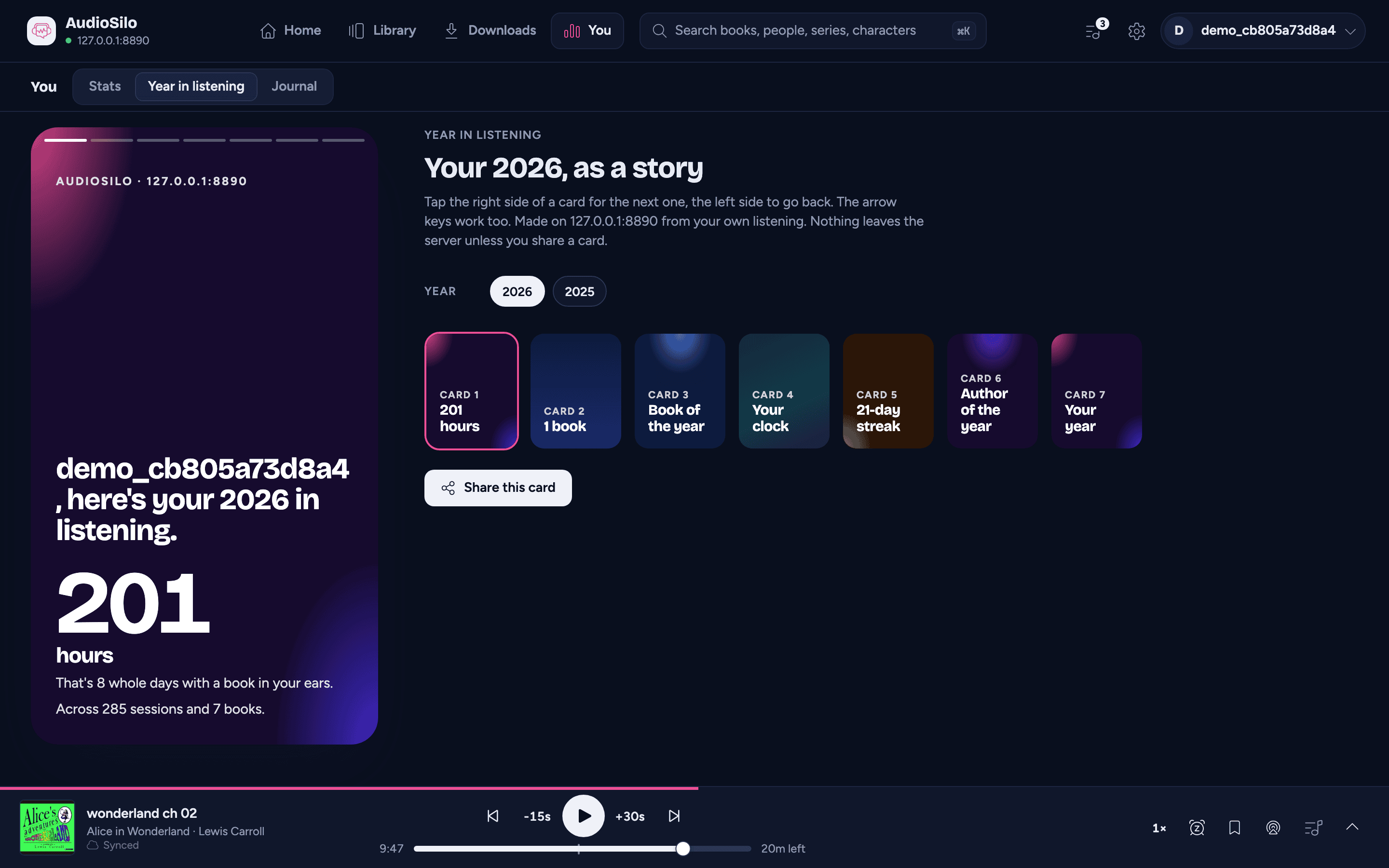
The cards
In order, each one only when there's something to say (a card with nothing in it is left out):
- Your hours - how many hours you listened this year ("That's 9 whole days with a book in your ears."), across how many sessions and books. Listening from before your server kept sessions is included as an estimate, and the card says how much.
- Books finished - how many, as a stack of spines, and how you're doing against your yearly goal.
- Your book of the year - the book you spent the most time with.
- Your voice of the year - the narrator you listened to most, and the next two.
- When you listen - your listening clock and your busiest hour: a morning or afternoon listener, an evening listener, or a night owl.
- Longest streak - your longest run of days in a row, with twelve weeks of listening around it, and whether it's still going.
- Who you kept coming back to - your author and series of the year.
- Your year - the summary: hours, books finished, your longest streak and the books you listened to, with some of their covers. It's the one to share.
A year with less than an hour of listening and no book finished doesn't have a story yet, and says so ("Not much of a story yet").
The year runs on the server's calendar, like Your listening.
Playing the story
Each card shows for six seconds, then the next comes up; bars across the top show where you are. The last card stays up.
- Tap the right side of a card for the next one (on the last card, back to the first), the left side for the one before.
- Hold your finger on it (or rest the pointer on it, on a computer) to pause it there.
- In the web player, the arrow keys move between cards.
- Tap a thumbnail to jump to that card.
The story never moves on by itself while a screen reader is running or while a card is being shared, and if your device is set to reduce motion, each card stays until you move on.
On a tablet or computer, the story plays right on the page, with the thumbnails and Share this card beside it.
On a phone, the Year section shows a card for your year with Play the story and the thumbnails under it. Play the story (or a thumbnail) opens the story full screen. Close it with the X, by pulling it down, or with Esc in the web player.
Other servers and earlier years
If you're signed in to more than one server that keeps listening stats, a Server row lets you pick whose year to show. Once an earlier year has a story too, a Year row lets you look back at it.
Sharing a card
Share this card turns the card on screen into an image (a 1080 by 1920 picture, the shape of a phone screen) and shares it:
- In the iOS and Android apps, your phone's share sheet opens, so you can send it in a message or save it to your photos.
- In the web player, the browser's own share sheet opens where it can share pictures (most phones, Safari, Chrome on Mac and Windows). Elsewhere the picture is downloaded, and a note tells you its name (e.g.
audiosilo-2026-08-summary.png).
If a book cover can't be drawn into the picture, the card is made again with plain title blocks in place of the covers, rather than not at all.
There's no link to share: the story lives only in your app. Sharing sends the one picture you chose, and nothing else.