You and your listening
You is the part of AudioSilo about you rather than your library: how much you've listened, your year as a story, your Journal, your settings and your account.
Finding You
On a phone, it's the Me tab at the bottom of the screen. A row of sections runs under its title: Stats, Year, Journal, Settings and Account. Swipe the row to see them all, and tap one to switch. The big title says where you are: Your listening over Stats, Year in listening over Year, and so on.
On a tablet or computer, it's You in the top bar. Its sections are Stats, Year in listening and Journal. Settings is the gear beside your profile button, and your account is in the profile menu.
In the web player's quick search, Go to lists Your listening, Year in listening, Journal and Settings.
Your listening
Stats opens on Your listening: what you've listened to, drawn from your own listening on your server.
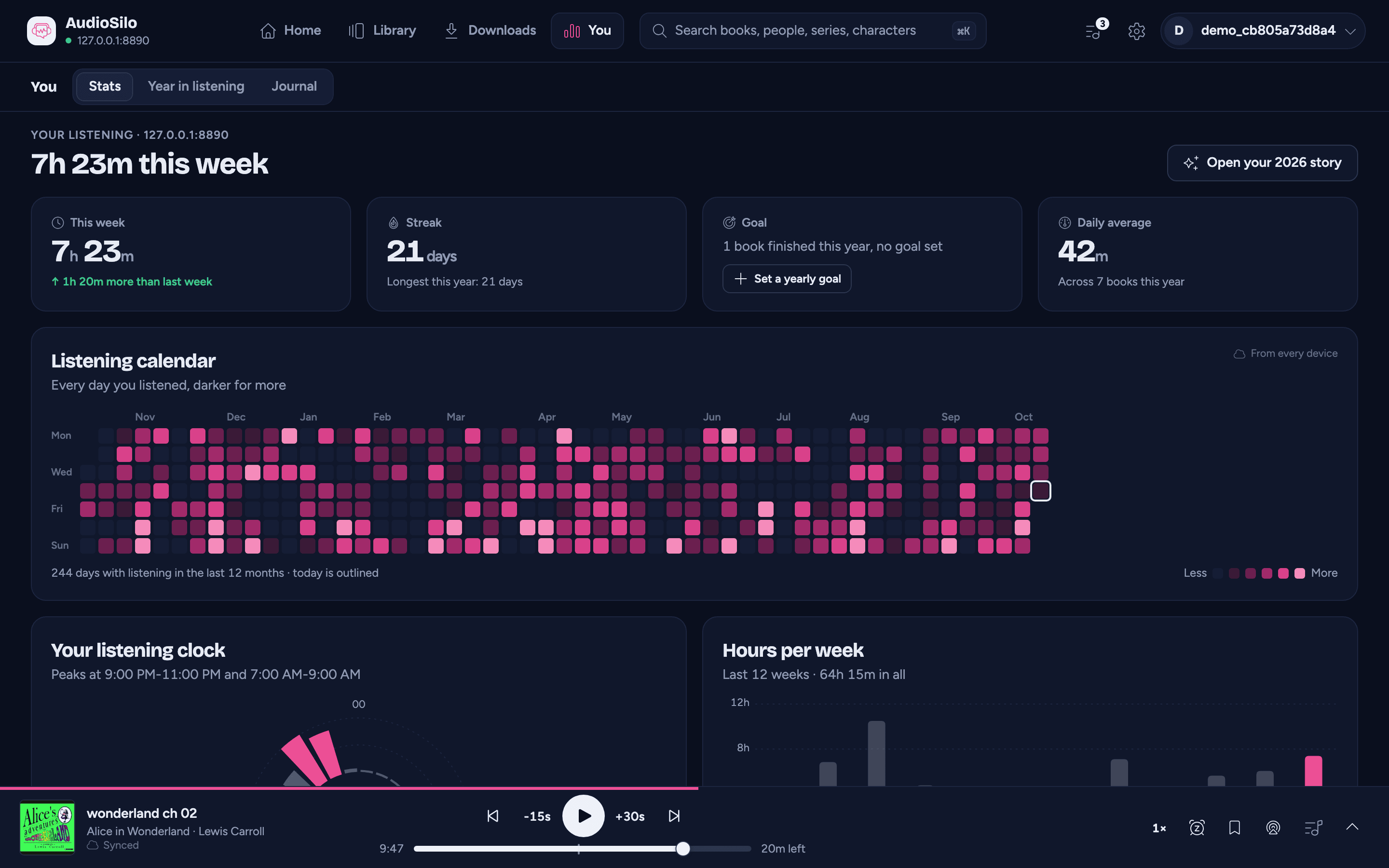
At the top, the server it comes from ("Your listening · Hearthside", or just the server's name on a phone, under the big title) and how long you've listened this week. On a tablet or computer, Open your 2026 story beside it opens your Year in listening.
One server at a time
Your listening is kept by each server for itself, so the page shows one server's: your main server's, to begin with. If you're signed in to two or more servers that keep listening stats, a row of their names above the page lets you switch.
Days and weeks follow the server's clock, not your device's: a session at 11:30 at night counts on the server's date for that moment, so the page reads the same on every device you use.
A server running an older AudioSilo doesn't keep listening stats. It says so ("No listening stats here yet") instead of showing an empty page, and everything else works as usual.
The tiles
| Tile | What it shows |
|---|---|
| This week | Your listening in the last seven days, and how that compares with the seven days before ("↑ 2h 10m more than last week") |
| Streak | How many days in a row you've listened, counting today once you've played something (until then, up to yesterday: a streak isn't broken until the day is over). Underneath, your longest streak this year |
| Goal | Your yearly goal: books finished this year against the number you aim for, with a ring for how far you are |
| Daily average | How long you listen a day on average this year, counting the days you didn't listen too. Underneath, how many books you've listened to this year |
Your yearly goal
A goal is a number of books to finish this year. Without one, the Goal tile says how many you've finished and offers Set a yearly goal, which sets one for you from your pace so far (at least a book a month, and always ahead of what you've already finished). Then:
- - and + lower and raise it (one book at a time up to 12, then in twos up to 40, then in fives).
- The X clears it.
Each change is saved on your server at once. It's the same goal as the ring on the home screen's This week card, kept per server.
The charts
Point at a chart on a computer, or tap it on a phone or tablet, to see the value under your finger. Each one also reads as a sentence to a screen reader.
- Listening calendar - every day of the last 12 months, darker on the days you listened more, with today outlined. It counts listening from every device, not just this one.
- Your listening clock - your listening this year by hour of the day, with your busiest hours picked out ("Peaks at 9:00 PM-11:00 PM"). The middle of the clock names your busiest hour.
- Hours per week - your last 12 weeks, with how much you listened in all.
Your top authors, narrators and series
Three lists of up to five each, ranked by how long you listened to them this year: Top authors, Top narrators ("You spent 31h with Kate Reading") and Top series. Tap a name to open that author's, narrator's or series page.
Finished this year
The books you finished this year, as a row of spines. Tap one to open it. See them in your Journal opens your Journal.
At the bottom of the page, a card with your year so far ("212h of listening and 23 books finished so far.") and Play the story opens your Year in listening.
On a phone
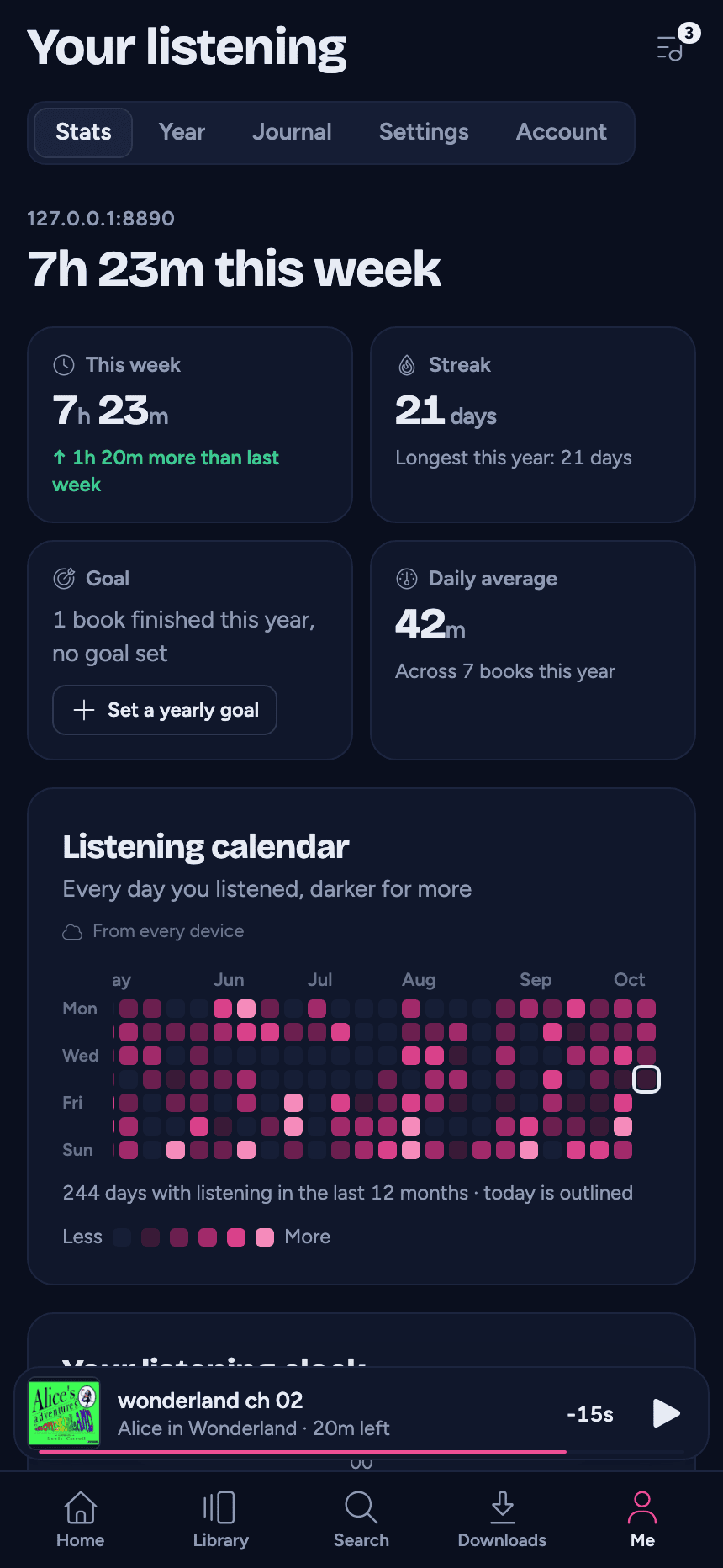
On a phone the same page sits in the Me tab, the tiles in two columns and the charts one under the other.
Until you've listened to something, the page says "No listening yet": play a book and your week, your streak and your year fill in.